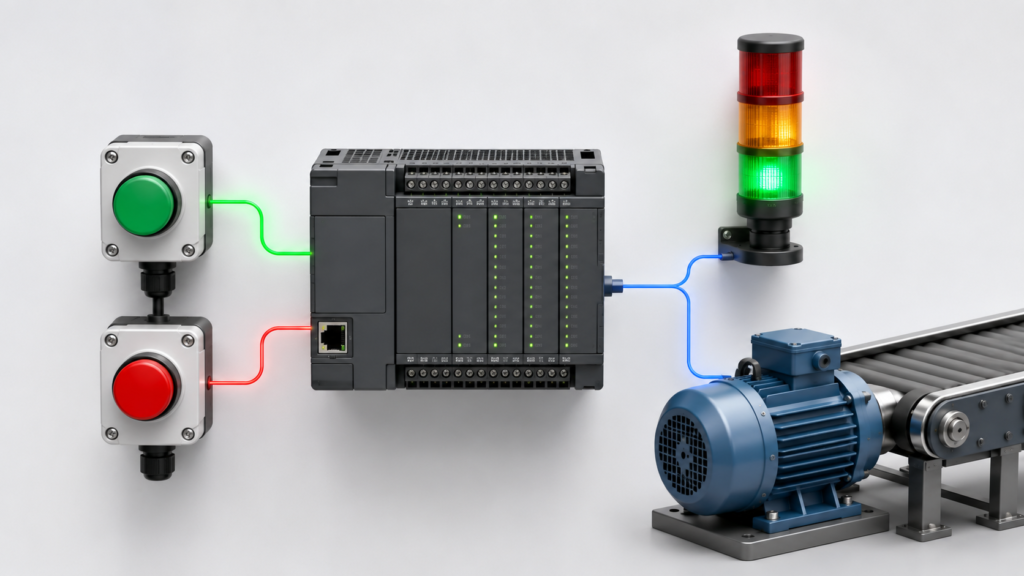
Intermittent startup faults are among the most frustrating problems in industrial automation.
A machine may start correctly five times, fail on the sixth attempt and then operate normally again. The PLC program appears unchanged. The same operator presses the same button. Every permissive looks healthy on the HMI.
Because the fault does not happen consistently, engineers may suspect:
- A loose wire
- A failing sensor
- A defective PLC
- Network instability
- Incorrect ladder logic
Any of those causes are possible. However, repeated but irregular startup failures often point to something else:
The startup sequence depends on timing that is not fully controlled.
The Boolean logic may be correct. The signals simply do not become available in the same order or during the same PLC scan on every startup.
A Typical Intermittent Startup Sequence
Imagine a motor that requires two conditions:
- Permissive A: air pressure healthy
- Permissive B: drive ready
The operator presses START.
On a successful attempt:
- Air pressure becomes healthy.
- The drive-ready signal reaches the PLC.
- The PLC processes both permissives.
- The start request is accepted.
- The motor starts.
On a failed attempt:
- Air pressure becomes healthy.
- The PLC executes the startup logic.
- Drive ready has not updated yet.
- The start request is rejected.
- Drive ready arrives one scan later.
- The original start request has already disappeared.
Every required condition became true, but not at the same time inside the PLC program.
From the operator’s perspective, the machine was ready.
From the PLC’s perspective, the complete startup condition never existed.
Startup Signals Do Not Update Together
Industrial startup conditions may come from several different sources:
- Local digital inputs
- Remote I/O
- Safety controllers
- VFD telegrams
- HMI commands
- Modbus devices
- Analog transmitters
- Other PLCs
- Pneumatic or mechanical feedback
Each source has its own update behaviour.
A local input may be available almost immediately. A drive may require several seconds to initialize. A remote I/O station may connect later. An analog value may remain invalid until its transmitter completes startup.
The PLC can therefore see many temporary combinations:
Safety_Healthy = TRUE
Remote_IO_Healthy = TRUE
Drive_Ready = FALSE
Pressure_Healthy = TRUE
One scan later:
Safety_Healthy = TRUE
Remote_IO_Healthy = TRUE
Drive_Ready = TRUE
Pressure_Healthy = FALSE
If the logic requires every condition to be true simultaneously for one scan, startup can become dependent on small variations in device timing.
Race Conditions During Startup
A race condition occurs when the final result depends on which signal arrives first.
Suppose a sequence includes:
- Start when all permissives are true.
- Generate a startup fault if the drive is not ready.
- Reset the startup timer when communication becomes healthy.
If drive ready and the timer timeout occur during the same scan, the result may depend on program order.
One network may advance the sequence while another later network activates the fault. Alternatively, the fault may prevent the transition.
The program can behave differently if:
- Scan time changes slightly
- Network data arrives one cycle later
- A higher-priority task interrupts execution
- An HMI request is received at a different moment
The failure appears random, but it is usually caused by a repeatable timing combination.
Short Start Commands
Momentary START signals are a common source of intermittent behaviour.
A physical button may remain active long enough to be detected reliably. An HMI button may produce only a brief communication pulse.
Consider this condition:
Machine_Start :=
    HMI_Start_Request
    AND All_Permissives;
If the HMI start bit lasts for 100 milliseconds and one remote permissive arrives after 120 milliseconds, the request is lost.
Pressing START again works because all permissives are already healthy.
This creates the familiar complaint:
“The machine usually starts on the second press.”
A better design may capture the start request until it is accepted, cancelled or timed out:
IF Rising_Edge(Start_Button) THEN
    Start_Request_Latched := TRUE;
END_IF;

IF Start_Accepted
   OR Stop_Request
   OR Start_Request_Timeout THEN
    Start_Request_Latched := FALSE;
END_IF;
The request should not remain stored indefinitely. Otherwise, the machine could start unexpectedly when a missing permissive returns much later.
Device Initialization Time Varies
Electronic devices do not always start in exactly the same amount of time.
Initialization can vary because of:
- Supply-voltage rise time
- Network discovery
- Device self-tests
- Temperature
- Firmware processing
- Communication retries
- Number of connected network devices
- Previous fault state
A VFD may report communication healthy before reporting ready for operation.
A remote I/O station may appear connected before all channel data becomes valid.
A smart transmitter may initially report zero or its last retained value before producing a current measurement.
Startup logic should distinguish between:
- Device detected
- Communication established
- Data valid
- Device initialized
- Device ready
- Process permissive healthy
Treating all these states as one Device_OK bit creates false startup conditions.
Stale Permissives
A startup permissive can remain true even when its source is no longer updating.
For example, a remote controller last reported:
Upstream_Ready = TRUECommunication is interrupted during restart, but the PLC retains the previous value. The startup logic sees the ready bit and may continue even though the remote system is offline.
A valid remote permissive should include communication quality:
Upstream_Start_Permissive :=
    Upstream_Communication_Healthy
    AND Upstream_Data_Valid
    AND Upstream_Ready;
Useful validity checks include:
- Heartbeat counters
- Data timestamps
- Update counters
- Device diagnostic words
- Signal-age monitoring
- Communication watchdogs
A believable Boolean state is not enough. The PLC must know whether it is current.
Noisy Interlocks
Some startup failures are caused by unstable field conditions rather than network timing.
Examples include:
- Pressure close to its switching threshold
- Flow switch chatter
- Valve-position sensor bounce
- Loose relay contacts
- Electrical noise
- Rapidly changing analog values
A permissive may be true when the operator presses START, drop for one scan and then recover.
The HMI may never display the short transition, but the PLC can reject the startup or activate a fault.
Possible solutions include:
- Repairing wiring or sensor problems
- Adding proper hysteresis
- Applying suitable input filtering
- Requiring the condition to remain stable
- Separating startup validation from running-trip logic
Do not immediately add a long timer. First determine whether the signal is noisy, delayed or physically unstable.
Scan-Time Variation
PLC cycle time is not always perfectly constant.
A controller may normally scan in 5 milliseconds but occasionally take longer because of:
- Communication activity
- Interrupt tasks
- Complex calculations
- Diagnostics
- Data logging
- Online monitoring
- Large program loops
- Motion-control processing
A one-scan pulse lasts longer or shorter depending on task execution time. Related events may also move into different scans when the cycle time changes.
Monitor:
- Current cycle time
- Minimum cycle time
- Maximum cycle time
- Task overruns
- Interrupt execution
- Communication loading
The maximum cycle time is often more useful than the average when diagnosing intermittent faults.
Why Offline Simulation Misses the Problem
Offline simulation usually changes signals in a clean and controlled order.
The engineer may:
- Activate safety healthy.
- Turn on drive ready.
- Simulate pressure.
- Press START.
- Observe a successful sequence.
Every condition remains active for several seconds. Nothing arrives late, bounces or loses communication.
A real machine behaves differently:
- Signals change during movement.
- Network devices update asynchronously.
- Operators press buttons before initialization finishes.
- Mechanical devices respond at variable speeds.
- Several conditions change in the same scan.
Offline testing confirms that the logical path can work. It does not prove that the startup is tolerant of real timing variation.
Deterministic Startup Design
A deterministic startup behaves predictably regardless of the exact order in which non-critical conditions return.
Instead of moving directly from power-up to ready, the program can use explicit states.
State 0: Initialization
- Clear movement requests
- Disable automatic outputs
- Initialize timers and diagnostics
- Reset non-retentive sequence data
State 10: Communication validation
- Confirm remote I/O
- Confirm drives
- Confirm communication with other controllers
- Verify that data is updating
State 20: Device readiness
- Confirm drive-ready states
- Validate sensor data
- Confirm pressure, airflow and utilities
- Verify actuator positions
State 30: Stability validation
- Require all startup conditions to remain healthy for a defined time
State 40: Ready for reset
- Allow operator acknowledgement or recovery reset
State 50: Ready to start
- Accept a fresh start request
This approach removes many timing assumptions from the startup logic.
Require Stability, Not One Good Scan
A startup permissive should not always become valid because every input happened to be true during one scan.
For example:
All_Start_Permissives :=
    Safety_Healthy
    AND Remote_IO_Healthy
    AND Drive_Ready
    AND Pressure_Healthy
    AND Valve_Position_Valid;
Then require:
All_Start_Permissives continuously true
for 1 second
→ Startup_Validated
The correct time depends on the process.
The purpose is to reject brief reconnection states, contact bounce or unstable data—not to cover up a permanently unreliable device.
Critical conditions may require different response times. A safety failure should not be delayed merely because ordinary process permissives use validation timers.
Separate Startup and Running Conditions
The conditions required to begin operation may differ from those required to continue.
For example, a motor may need:
- Drive ready
- Valve confirmed open
- Pressure stable
- Downstream machine ready
before startup.
Once running, a brief loss of downstream-ready communication may require a controlled stop rather than immediate removal of the motor output.
A useful structure is:
Start_Permissive
Run_Permissive
Trip_Condition
Recovery_Permissive
This prevents one generic System_OK bit from controlling every phase of operation.
Record the First Failed Condition
Intermittent startup faults are difficult because the original missing condition may recover quickly.
A first-out recorder can store:
- First missing permissive
- Date and time
- Current startup state
- Start request status
- Communication status
- Relevant analog values
- PLC scan time
For example:
10:12:41.225 — Start request received
10:12:41.230 — Startup blocked: Drive 2 not ready
10:12:41.245 — Drive 2 ready became true
10:12:41.330 — Start request expired
This immediately explains why the machine failed to start.
Without event history, the engineer may arrive later and see every condition healthy.
Trace the Complete Startup Sequence
For difficult cases, record:
- Raw start input
- Latched start request
- Each raw permissive
- Processed or filtered permissives
- Communication-valid bits
- Combined startup permissive
- Startup timer
- Current sequence state
- Transition reason
- Final output command
- Maximum scan time
A PLC trace is much more useful than watching the HMI because it captures brief changes at task speed.
The objective is to determine:
- Which condition arrived late?
- Which condition dropped briefly?
- Did the request expire?
- Did another network overwrite the command?
- Was the data valid?
- Which transition executed first?
Do Not Solve Every Startup Fault With Timers
Adding delays can make intermittent faults disappear, but it can also hide the real cause.
A timer may conceal:
- Weak power supplies
- Network reconnections
- Defective sensors
- Incorrect drive configuration
- Stale communication data
- Missing handshakes
- Duplicate output writes
Use timers when the process genuinely requires stabilization or when asynchronous devices need defined initialization time.
Do not use them as a substitute for understanding the sequence.
Startup Tests That Should Be Repeated
A reliable startup should be tested under several timing combinations:
- Drive ready delayed
- Remote I/O delayed
- Pressure arriving late
- Start pressed before readiness
- Start pressed repeatedly
- One permissive flickering
- Communication recovering during startup
- HMI reconnecting with a command active
- Power interruption during initialization
- Several permissives changing together
- Reset held while conditions recover
- Startup under full network load
Repeat the tests several times. A deterministic sequence should reach the same safe result even when the exact order changes.
Final Thoughts
Startup problems that appear only sometimes are usually not truly random.
They often result from small variations in:
- Signal update order
- Network communication
- Device initialization
- PLC scan timing
- Start-command duration
- Interlock stability
The machine starts when all the conditions happen to align. It fails when one value arrives a scan too late or disappears a scan too early.
That is why deterministic startup design matters.
Capture requests reliably, validate communication data, require important conditions to remain stable and use explicit initialization states.
When startup succeeds five times and fails once, do not ask only whether the ladder logic is correct.
Ask which signal arrived late on the failed attempt—and why the program depended on it arriving sooner.