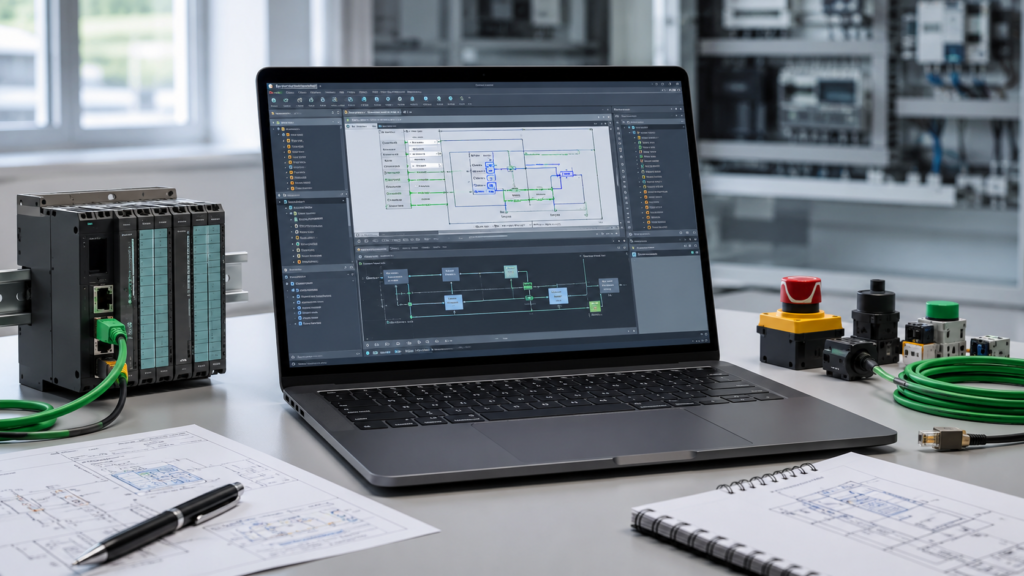
Buying a laptop for Siemens TIA Portal is slightly different from buying an ordinary office computer.
TIA Portal may look like a regular Windows application, but once you open a large PLC project, start WinCC, run PLCSIM and keep several technical documents open in the background, a weak laptop quickly begins to struggle.
Menus become sluggish. Compiling takes longer. Switching between PLC blocks feels delayed. The cooling fan runs continuously, and the battery disappears faster than expected.
The good news is that you do not need the most expensive mobile workstation on the market. You just need to spend money on the parts that actually matter.
Recommended TIA Portal Laptop Specifications for 2026
For most automation engineers, PLC programmers and commissioning technicians, this is the sensible configuration:
- Processor: Intel Core Ultra 7 or AMD Ryzen 7, preferably an H, HS or HX model
- Memory: 32 GB RAM
- Storage: 1 TB NVMe SSD
- Graphics: Modern integrated graphics or a basic dedicated GPU
- Display: 15.6-inch or 16-inch, 1920 × 1200 resolution
- Operating system: Windows 11 Pro 64-bit
- Network: Gigabit Ethernet or a reliable USB-C Ethernet adapter
- Ports: At least two USB-A ports and one or more USB-C ports
- Battery: Approximately 70 Wh or larger
- Warranty: Preferably three years for professional use
This specification should run STEP 7, WinCC, Startdrive, PLCSIM and normal engineering tools comfortably.
For large projects, virtual machines or several versions of TIA Portal installed at once, move up to 64 GB of RAM and a 2 TB SSD.
Siemens’ Minimum Requirements Are Not Buying Advice
Siemens lists fairly modest minimum requirements for installing TIA Portal V21. These include an Intel Core i3-6100U processor, 8 GB of RAM and at least 20 GB of available storage.
Those specifications describe a computer that can install and launch the software. They do not describe a laptop you should buy for professional engineering work in 2026.
Siemens’ recommended configuration is much more realistic: a processor comparable to the Intel Core i5-12600HE, at least 16 GB of RAM, 32 GB for large projects, 50 GB of free SSD space and a Full HD display or better.
Even that 50 GB storage recommendation should be treated as free space for the software rather than the total size of the drive. Windows, Siemens updates, project archives, HMI images, GSD files and older TIA versions can consume hundreds of gigabytes surprisingly quickly.
Which Processor Is Best for TIA Portal?
The processor has a noticeable effect on compiling, opening projects, generating HMI screens and running simulations.
You should prioritise strong single-core performance, but additional cores are still useful when Windows, WinCC, PLCSIM and other applications are running together.
A modern Intel Core Ultra 7 or AMD Ryzen 7 is the sweet spot.
Look for laptop processors with suffixes such as:
- H
- HS
- HX
These are normally designed for higher sustained performance.
Thin laptops with very low-power processors can still run TIA Portal, but they may slow down during long compilations because of limited cooling and lower power limits.
An Intel Core Ultra 5 or modern Ryzen 5 can be perfectly usable for smaller S7-1200 and S7-1500 projects. However, when buying a laptop that may be used for the next five years, the step up to a Core Ultra 7 or Ryzen 7 is usually worthwhile.
Intel launched its Core Ultra Series 3 laptop processors in 2026, with higher-end models offering up to 16 CPU cores. These are attractive options, although a well-cooled laptop using an earlier Core Ultra generation may still outperform a thin new model with aggressive power limits.
The processor name is only part of the story. Cooling matters too.
Is 16 GB of RAM Enough?
Technically, yes.
Practically, 32 GB is a much better starting point.
A simple PLC project may work acceptably with 16 GB, but memory use grows when you add:
- WinCC Unified
- PLCSIM
- Startdrive
- Safety programming
- Large HMI projects
- Several TIA Portal versions
- Virtual machines
- Electrical CAD software
- Browser tabs and PDF manuals
Once Windows begins using the SSD as virtual memory, performance becomes noticeably less responsive.
For a new laptop in 2026, the recommendations are straightforward:
16 GB: Small projects and a limited budget
32 GB: Best choice for most TIA Portal users
64 GB: Large projects, virtual machines and heavy multitasking
Whenever possible, buy a laptop with replaceable or expandable RAM. Some thin laptops use memory soldered directly to the motherboard, which means it cannot be upgraded later.
How Much SSD Storage Do You Need?
A 512 GB SSD can work, but it fills up quickly.
TIA Portal installation files are large. Engineers also tend to keep several versions because one customer may use V17 while another machine was programmed in V19 or V21.
Add virtual machines, project backups, PLC firmware files and software such as EPLAN or AutoCAD, and 512 GB starts feeling cramped.
Choose:
- 1 TB NVMe SSD for normal engineering work
- 2 TB NVMe SSD for multiple TIA versions or virtual machines
SSD speed matters, but capacity matters more once you are comparing modern NVMe drives. Do not pay a huge premium for benchmark numbers you will barely notice while programming a PLC.
A laptop with a second M.2 SSD slot is especially useful. You can keep Windows and engineering software on one drive while storing virtual machines and project archives on the other.
Do You Need a Dedicated Graphics Card?
TIA Portal itself does not normally require a powerful gaming GPU.
Modern integrated Intel or AMD graphics are sufficient for:
- STEP 7 programming
- Standard WinCC projects
- PLC hardware configuration
- Online diagnostics
- PLCSIM
- Normal multi-monitor use
A dedicated NVIDIA GPU becomes useful when the same laptop is also used for 3D CAD, machine vision, video editing, digital twins or other graphics-heavy engineering software.
For PLC programming alone, it is usually better to spend extra money on RAM, storage and processor performance.
A large GPU also adds weight, heat, fan noise and power consumption.
Choose Windows 11 Pro, Not ARM
TIA Portal V21 supports specified 64-bit editions of Windows 11, including Windows 11 Professional 24H2. Siemens also lists Windows 11 Home 24H2 for Basic editions only.
For professional use, Windows 11 Pro is the safer choice. It provides features such as BitLocker, Remote Desktop hosting, Hyper-V and better control over company policies.
Avoid ARM-based Windows laptops unless Siemens explicitly confirms full compatibility with your exact TIA Portal version and required drivers.
Snapdragon laptops may offer excellent battery life, but automation work depends on more than opening TIA Portal. You may also need Siemens license software, USB drivers, older device configuration tools, VPN software and Ethernet adapters.
For the fewest surprises, choose a conventional Intel or AMD x86-64 laptop.
A MacBook is also not the practical first choice. TIA Portal is designed for Windows, so running it on a Mac requires a virtual machine and introduces additional complications with networking, USB devices and software compatibility.
Display Size and Resolution
A 13-inch screen is portable, but it becomes uncomfortable when working with ladder logic, hardware configuration and tag tables.
The ideal size is usually:
- 15.6 inches
- 16 inches
A resolution of 1920 × 1080 is acceptable. A 1920 × 1200 display is better because the extra vertical space helps when viewing PLC networks and project trees.
Avoid extremely high-resolution screens purely for TIA Portal. A 4K display looks sharp, but it costs more, reduces battery life and can occasionally create scaling problems in older engineering applications.
A matte display is preferable when commissioning machines under bright factory lighting.
Ports Matter More Than You Think
Modern laptop manufacturers love removing ports. Automation engineers usually need more of them, not fewer.
Useful connections include:
- Gigabit Ethernet
- USB-A
- USB-C
- HDMI
- Headphone socket
- Charging through USB-C
A built-in RJ45 Ethernet port is convenient, particularly when you are repeatedly connecting to PLCs, drives and HMIs.
A good USB-C Ethernet adapter also works, but carry a spare. Commissioning can come to a sudden halt when the only adapter is lost, damaged or left at the office.
You may also need USB-A for license keys, serial converters, memory-card readers and older programming cables.
Should You Use Virtual Machines?
Virtual machines are extremely useful for keeping different TIA Portal versions separated.
Siemens officially supports platforms including VMware Workstation 17 or newer, VMware Player 17 or newer and Microsoft Hyper-V Server 2019 or newer for compatible TIA Portal installations. Siemens also warns that accessible stations cannot be displayed when using Microsoft Hyper-V.
For comfortable virtual-machine use, choose:
- 64 GB RAM
- 2 TB SSD
- A high-performance Core Ultra 7, Core Ultra 9, Ryzen 7 or Ryzen 9
- Good laptop cooling
Do not underestimate storage. A few virtual machines can consume more space than the main Windows installation.
Three Practical Specification Levels
Budget Laptop
- Modern Core Ultra 5 or Ryzen 5
- 16 GB RAM, preferably upgradeable
- 512 GB or 1 TB SSD
- Integrated graphics
- 15.6-inch Full HD display
Suitable for learning, small projects and occasional programming.
Recommended Professional Laptop
- Core Ultra 7 or Ryzen 7 H/HS
- 32 GB RAM
- 1 TB NVMe SSD
- Integrated graphics
- 16-inch 1920 × 1200 matte display
- Windows 11 Pro
- Gigabit Ethernet
This is the best balance for most automation engineers.
Heavy-Duty Engineering Laptop
- Core Ultra 9, Ryzen 9 or HX-class processor
- 64 GB RAM
- 2 TB SSD
- Dedicated GPU if required by other software
- Multiple SSD slots
- Strong cooling system
Choose this level for large HMI systems, virtual machines, CAD and demanding simulation work.
Final Recommendation
For Siemens TIA Portal in 2026, the best overall laptop specification is a Core Ultra 7 or Ryzen 7 processor, 32 GB of RAM, a 1 TB NVMe SSD and Windows 11 Pro.
Do not become distracted by gaming features, RGB lighting or an expensive graphics card. For TIA Portal, memory capacity, SSD space, processor performance, cooling and reliable Ethernet connectivity matter far more.
A properly selected business or workstation laptop may cost more than a basic consumer model, but it should remain useful through several TIA Portal versions—and save plenty of frustration on the factory floor.