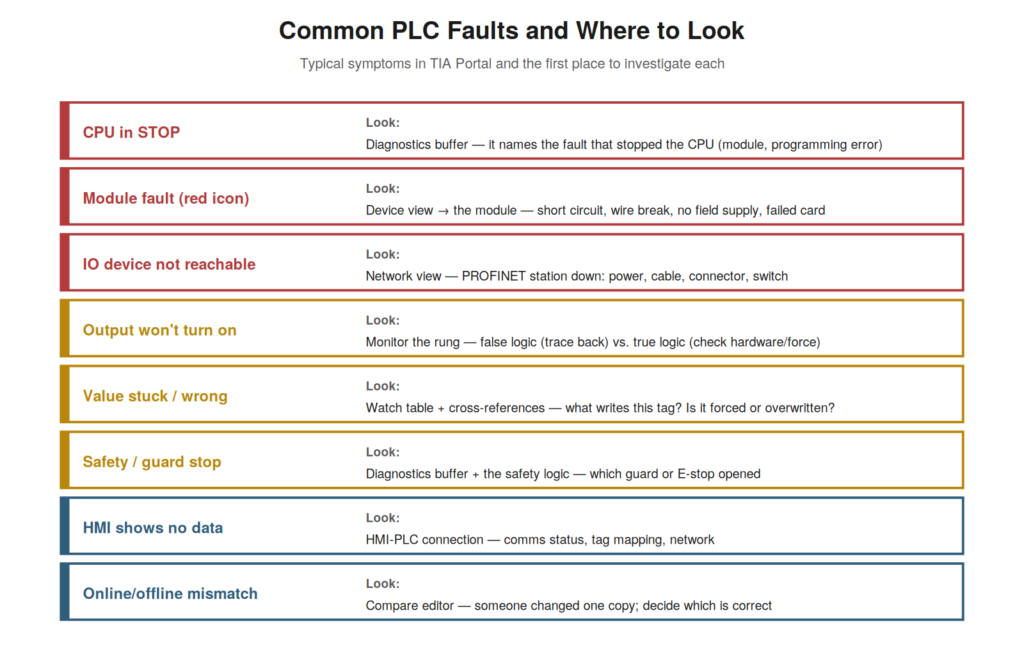
Drawing together the diagnostic tools, it helps to have a reference
of common fault situations and where to look for each in TIA Portal, so
you can go straight to the right tool. Different symptoms call for
different starting points — the diagnostics buffer, device view, live
monitoring, cross-references, or the HMI — and knowing which suits each
situation makes your diagnosis efficient. This chapter provides that
mapping of common faults to their diagnostic starting points.
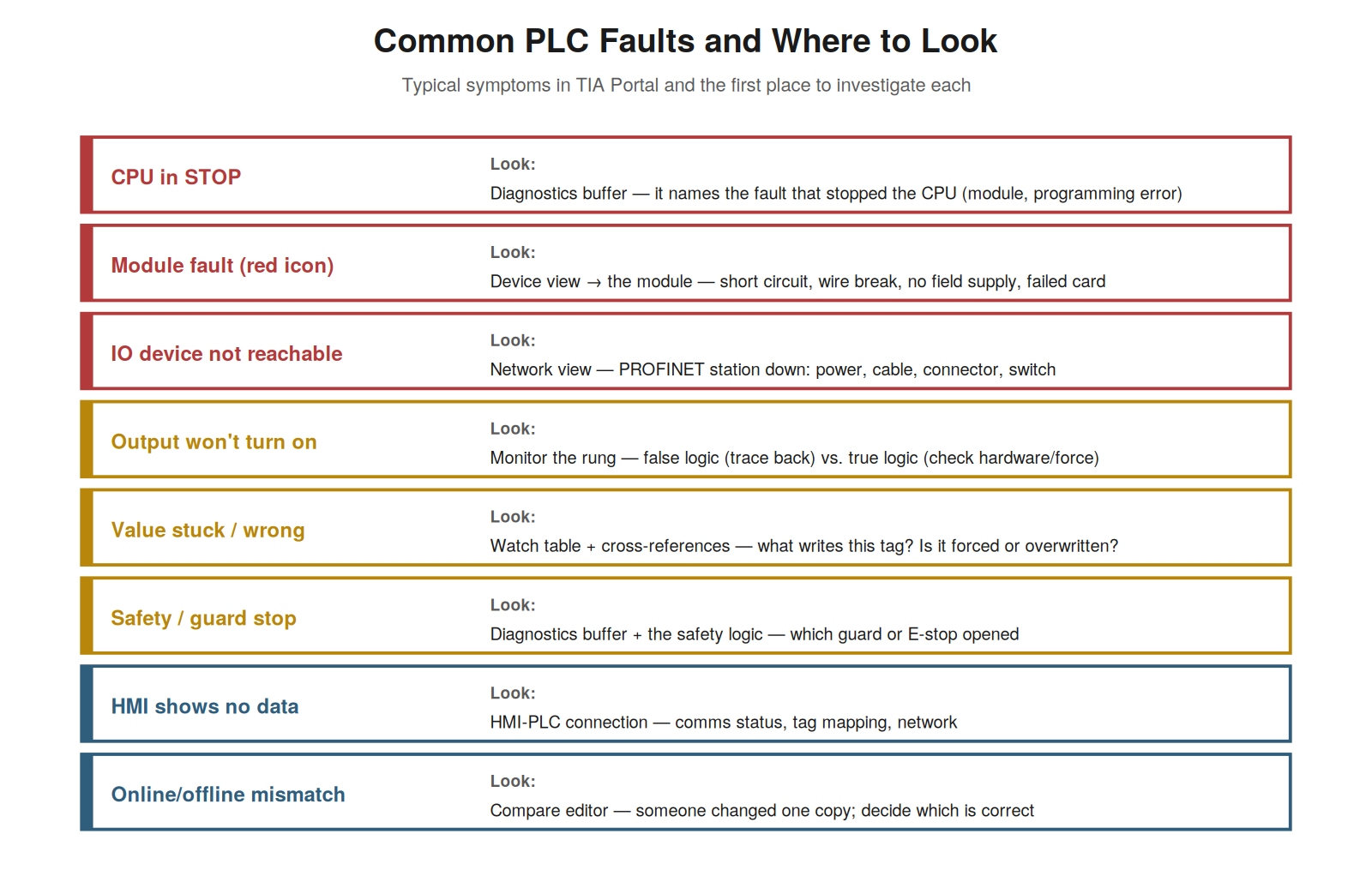
diagnostics buffer; module fault → device view; IO device unreachable →
network view; output won’t turn on → monitor the rung; value wrong →
watch table and cross-references; and so on.
Matching the symptom to the tool
The key to efficient diagnosis is matching the symptom to the right
diagnostic tool, and understanding these matchings sends you straight to
the right place. A CPU in STOP points to the diagnostics buffer, which
names the fault that stopped it. A module fault (a red icon) points to
the device view and the module’s detailed diagnostics. An I/O device
unreachable points to the network view for the distributed station. An
output that will not turn on points to live monitoring of its rung. A
value that is stuck or wrong points to a watch table (to see it) and
cross-references (to find what writes it). A safety or guard stop points
to the diagnostics buffer and the safety logic. So each common symptom
has a natural starting tool, and knowing the matching sends you directly
there. Understanding these matchings — symptom to diagnostic tool —
makes your diagnosis efficient. It reinforces that different symptoms
call for different starting tools (buffer, device view, network view,
monitoring, watch table, cross-references), and that knowing the
matching directs you to the right one. Understanding how to match the
symptom to the tool — going straight to the diagnostics buffer for a
stopped CPU, the device view for a module fault, live monitoring for an
output problem, and so on — makes your diagnosis efficient, sending you
directly to the tool that suits the symptom rather than searching, which
is the practical skill of using TIA Portal’s diagnostic tools
effectively by knowing which one to reach for in each common
situation.
The general diagnostic approach
Behind the specific matchings is a general diagnostic approach that
applies to any fault, and understanding it gives you a method even for
unfamiliar situations. The approach: first, make sure you are safe and
know the machine state. Second, gather what the machine tells you — the
diagnostics buffer, the device status, the HMI alarms — which often
names or points to the problem. Third, understand what that information
means. Fourth, use the appropriate tool to investigate further —
monitoring, cross-references, device details. Fifth, localize the cause
— program or hardware, and specifically where. Sixth, address the cause
and verify. This general approach — gather the machine’s own
information, understand it, investigate with the right tools, localize,
fix, verify — applies to any fault, providing a method even when the
specific symptom is unfamiliar. Understanding this general approach —
using the machine’s self-reported information and the right tools to
localize and fix the cause — gives you a reliable method for any
situation. It reinforces that beyond specific matchings, a general
approach — gather the machine’s information, understand, investigate,
localize, fix, verify — applies to any fault. Understanding the general
diagnostic approach — built on the machine’s own diagnostic information
and the systematic use of the right tools — equips you to diagnose any
fault, familiar or not, by gathering what the machine reports,
understanding it, and investigating systematically to localize and fix
the cause, which is the transferable method underlying all the specific
diagnostic techniques this book has covered.
When you can’t find it: escalating
Sometimes a fault resists diagnosis, and understanding when and how
to escalate — rather than making things worse — is part of good
maintenance practice. If you have used the diagnostic tools
systematically and cannot find or safely fix the cause, or if the fault
involves things beyond your training (complex programming, safety
systems, unfamiliar equipment), the right action is to escalate — to a
more experienced technician, an engineer, or the equipment supplier —
rather than making changes you are unsure of. Escalating with good
information helps: you can report what you found (the diagnostics buffer
contents, the device status, what you observed monitoring), which speeds
the expert’s diagnosis. Importantly, escalating is not failure; it is
the responsible choice when a fault exceeds your knowledge or authority,
and it avoids the harm that guessing or unauthorized changes could
cause. Understanding when and how to escalate — with good information,
when the fault exceeds your training or resists diagnosis — is part of
responsible maintenance. It reinforces that escalating appropriately,
with the information you have gathered, is the right response to a fault
you cannot safely resolve, avoiding the harm of unsure changes.
Understanding when to escalate — and doing so with the good diagnostic
information you have gathered — is part of good practice, recognizing
the limits of your training and authority, avoiding the harm that
guessing could cause, and helping the expert by providing what you have
found, so that a fault beyond your scope is handled responsibly through
escalation rather than risky attempts, which protects both the machine
and your integrity as a technician who knows when to seek help.
Intermittent faults and the buffer history
A particularly challenging category is intermittent faults — those
that come and go — and understanding how the diagnostics buffer’s
history helps with them is valuable. An intermittent fault is hard to
catch because it may not be present when you look, so live monitoring
may show nothing wrong at the moment. But the diagnostics buffer records
events over time, including the intermittent faults when they occurred,
so reading the buffer’s history can reveal an intermittent fault that is
not currently present: you see it recorded, with timestamps, even though
it is not happening now. Looking for patterns in the recorded
occurrences (do they cluster at certain times, conditions, or events?)
can point to the cause. So for intermittent faults, the buffer’s history
is especially valuable, capturing what live monitoring cannot catch in
the moment. Understanding how the buffer history helps with intermittent
faults — recording them when they occur, revealing patterns — addresses
this challenging category. It reinforces that intermittent faults, hard
to catch live, are recorded in the buffer’s history, which can reveal
them and their patterns even when they are not currently present.
Understanding how the diagnostics buffer’s history helps with
intermittent faults — capturing them when they occur and revealing
patterns over time — is valuable for this challenging category, because
intermittent faults that live monitoring cannot catch in the moment are
recorded in the buffer, whose history you can read to find the
intermittent fault and any pattern in its occurrences, which is often
the key to diagnosing the frustrating faults that come and go and are
not present when you happen to look.
Scenario: matching the symptom saved the day
A scenario shows symptom-matching making a diagnosis efficient. A
machine had an unreachable distributed I/O station — a section of the
machine’s I/O had gone dead. The technician, knowing to match the
symptom to the tool, went straight to the network view (the right tool
for a distributed I/O problem), which showed the specific PROFINET
station as unreachable. This directed them to that station out on the
machine, where they found the cause: a disconnected network cable at the
station. Reconnecting it restored the station. By matching the symptom
(unreachable I/O station) to the right tool (network view), the
technician had gone directly to the problem, rather than searching
inefficiently. The right starting tool made the diagnosis quick. This
scenario shows symptom-matching — unreachable station to the network
view — making the diagnosis efficient. Understanding which tool suits
which symptom sent the technician straight to the network view, which
located the unreachable station, directing them to the cable fault. It
reinforces that matching the symptom to the right tool makes diagnosis
efficient, going straight to the appropriate starting point. The
scenario reinforces the value of matching symptom to tool: the
technician diagnosed an unreachable I/O station efficiently by going
straight to the network view, illustrating how knowing which diagnostic
tool suits which symptom sends you directly to the problem, which is the
practical skill of using TIA Portal’s diagnostic tools effectively
rather than searching inefficiently.
Recurring faults and root cause
A category deserving special attention is the recurring fault — one
that keeps coming back after being cleared — because it calls for
finding the root cause rather than repeatedly clearing the symptom. When
a fault recurs, simply clearing it each time addresses the symptom, not
the cause, and the fault will keep returning. The right response is to
find the root cause: use the diagnostics buffer’s history to see the
pattern of recurrences (when, under what conditions), monitor to catch
the fault happening, and trace to the underlying cause (a failing
component that intermittently faults, a marginal condition, a wiring
problem that recurs). Addressing the root cause — the failing component,
the marginal condition — stops the recurrence, whereas clearing the
symptom does not. So recurring faults call for root cause analysis,
using the history and monitoring to find and fix the underlying problem.
Understanding recurring faults and root cause — finding and fixing the
underlying cause rather than repeatedly clearing the symptom — addresses
this frustrating category. Understanding recurring faults and root cause
— that a fault which keeps returning needs its root cause found and
fixed rather than its symptom repeatedly cleared — addresses a
frustrating category, so that instead of clearing the same fault again
and again, you use the buffer’s history and monitoring to find the
underlying cause (a failing component, a marginal condition, a recurring
wiring problem) and fix it, which stops the recurrence properly,
treating the recurring fault as a signal to find the root cause rather
than an annoyance to keep clearing.
Building your diagnostic instinct
Consolidating the common-faults material, the goal is to build a
diagnostic instinct — an internalized sense of where to look for each
kind of fault — and understanding this emphasizes learning the patterns
until they become automatic. With experience and the mappings this book
provides, you build an instinct: a stopped CPU immediately suggests the
buffer, a module fault the device view, an output problem monitoring,
and so on — not as rules you look up but as instinctive first moves.
This instinct makes diagnosis fast and confident: you go straight to the
right tool without deliberation. It develops through learning the
patterns (as this chapter has laid out) and applying them until they
become second nature. So the aim is not just to know the mappings but to
internalize them into instinct. This is what distinguishes an
experienced diagnostician: the instinctive sense of where to look.
Understanding the goal of building a diagnostic instinct — internalizing
the patterns until they are automatic — emphasizes practicing them
toward fluency. Understanding that the goal is to build a diagnostic
instinct — an internalized sense of where to look for each kind of
fault, developed by learning the patterns until they become automatic —
emphasizes practicing the symptom-to-tool mappings toward fluency, so
that with experience they become instinctive first moves rather than
rules to look up, making your diagnosis fast and confident as you go
straight to the right tool without deliberation, which is what
distinguishes an experienced diagnostician and what the mappings in this
book are meant to develop in you through learning and application until
they become second nature.