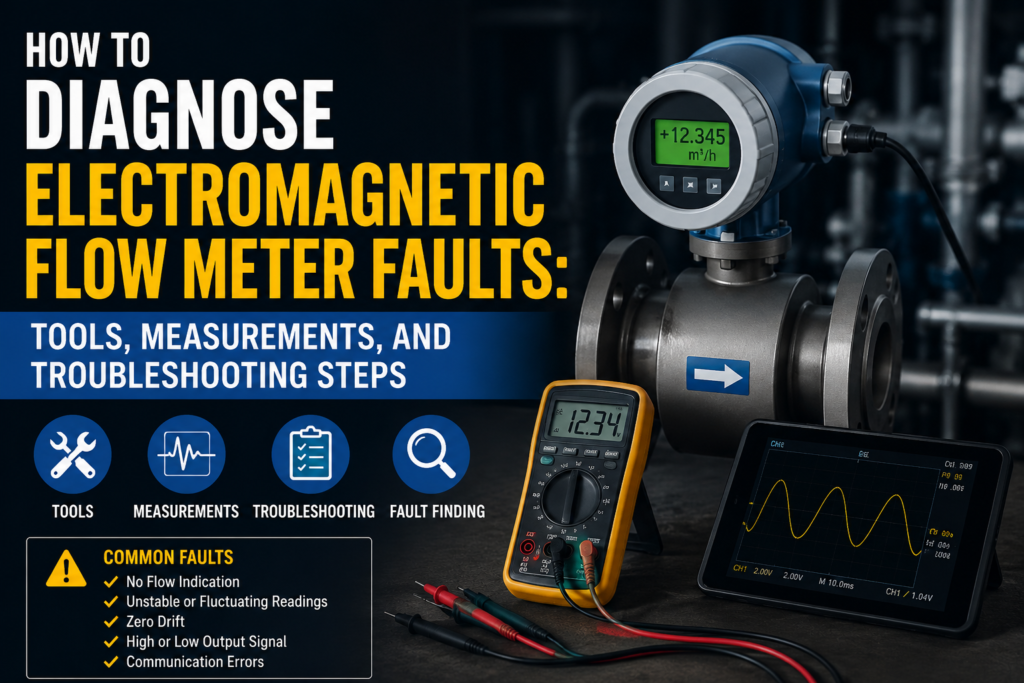
An electromagnetic flow meter is usually a reliable instrument, but when it starts showing wrong flow, unstable readings, or no signal at all, troubleshooting can become confusing.
The problem is not always the flow meter itself.
A bad reading can be caused by:
Poor grounding
Empty or partially filled pipe
Wrong PLC scaling
Low liquid conductivity
Air bubbles
Incorrect pipe size setting
Damaged sensor cable
Bad 4–20 mA loop wiring
Electrode coating
Wrong installation position
Power supply problems
Incorrect configuration
So the best way to diagnose an electromagnetic flow meter is to work step by step.
Do not immediately replace the sensor.
First, find out where the problem is:
Process problem
Sensor problem
Transmitter problem
Wiring problem
Output signal problem
PLC/HMI scaling problem
Important Safety Note
Electromagnetic flow meters are often installed in industrial process lines and electrical panels.
Before working on one:
Follow lockout/tagout rules.
Do not open live panels unless trained and authorized.
Use proper PPE.
Check whether the pipe contains hot, pressurized, toxic, corrosive, or dangerous liquid.
Do not remove the sensor from the line unless the process is isolated, drained, and depressurized.
Do not use an insulation tester on transmitter electronics.
Always check the manufacturer manual before disconnecting sensor cables or testing coils/electrodes.
This guide is for troubleshooting and learning. Actual values can vary by manufacturer and model, so always compare your measurements with the specific flow meter datasheet.
How an Electromagnetic Flow Meter Should Work
An electromagnetic flow meter measures flow using Faraday’s law of electromagnetic induction.
Inside the sensor, magnetic coils create a magnetic field across the measuring tube.
A conductive liquid flows through this magnetic field.
As the liquid moves, a small voltage is induced between the electrodes.
The transmitter measures this voltage and converts it into:
Flow rate
Total volume
4–20 mA signal
Pulse output
Digital communication value
Alarm status
The key idea is:
Higher liquid velocity = higher induced voltage.
But for this to work correctly, the meter needs:
Conductive liquid
Full pipe
Good grounding
Clean electrode contact
Correct configuration
Stable power supply
Correct output scaling
Common Fault Symptoms
Before taking measurements, identify the symptom.
Common electromagnetic flow meter problems include:
No display
No flow reading
Flow reading stuck at zero
Flow reading unstable
Flow reading too high
Flow reading too low
Flow shown when there is no flow
PLC value different from local display
4–20 mA signal stuck
Pulse output not working
Totalizer counting incorrectly
Empty pipe alarm
Coil error
Electrode error
Communication fault
Each symptom points to different possible causes.
Tools Needed for Troubleshooting
You do not need every tool for every fault, but these are the most useful tools for electromagnetic flow meter diagnosis.
1. Digital Multimeter
Use it to check:
Power supply voltage
24V DC supply
AC supply if applicable
4–20 mA loop current
Cable continuity
Relay output contacts
Grounding problems
Voltage drops
A multimeter is the first tool I would use.
2. Loop Calibrator / Process Meter
Very useful for 4–20 mA troubleshooting.
Use it to:
Measure loop current accurately
Simulate 4–20 mA into PLC analog input
Source 4–20 mA signal
Check PLC scaling
Check transmitter output behavior
If the flow meter display is correct but the PLC value is wrong, a loop calibrator is one of the best tools.
3. Insulation Tester
Use it carefully.
It can help test:
Sensor coil insulation
Signal cable insulation
Cable insulation to ground
Moisture inside junction boxes
But never connect an insulation tester to sensitive transmitter electronics.
Disconnect the sensor cable from the transmitter first and follow the manual.
4. Clamp Meter
Useful for checking:
Power supply current
Heater or pump current near the meter
Possible electrical noise sources
Current draw of power supplies
Not always needed, but useful in panels.
5. HART / Fieldbus / Manufacturer Diagnostic Tool
If the flow meter supports digital communication, use a communicator or software tool.
It can show:
Error codes
Device status
Sensor diagnostics
Empty pipe status
Output simulation
Damping settings
Pipe diameter setting
Range settings
Conductivity-related warnings
Coil or electrode alarms
This is often better than guessing.
6. Conductivity Meter
Very useful if the liquid may not be conductive enough.
Electromagnetic flow meters need conductive liquid.
If the conductivity is too low, the reading may be unstable or wrong.
7. Thermometer / Temperature Sensor
Useful for checking whether the process temperature is within the flow meter rating.
High temperature can damage:
Lining
Electrodes
Seals
Electronics
Cable insulation
8. Pressure Gauge
Useful when checking process conditions.
A flow meter may behave badly if the pipe is not full, if there is cavitation, or if the process line has pressure problems.
9. Visual Inspection Tools
Use a flashlight, phone camera, mirror, and basic hand tools.
Visual inspection can find many faults:
Loose terminals
Water inside junction box
Damaged cable gland
Broken grounding wire
Corrosion
Wrong wiring
Damaged sensor cable
Wrong installation direction
Step 1: Check the Local Display First
If the flow meter has a display, start there.
Check:
Does the display power on?
Does it show flow?
Does it show an alarm?
Does it show empty pipe?
Does it show reverse flow?
Does the totalizer count?
Does the local value match the PLC value?
This is important because it helps separate the problem.
If the Local Display Is Correct But PLC Is Wrong
The sensor is probably measuring correctly.
The problem is likely in:
4–20 mA output wiring
PLC analog input
PLC scaling
HMI scaling
Communication mapping
Signal range configuration
If the Local Display Is Wrong Too
The problem may be in:
Process conditions
Sensor
Grounding
Configuration
Electrodes
Coils
Power supply
Installation
Step 2: Check Power Supply Voltage
Many flow transmitters use 24V DC, but some use AC mains or wide-range power supplies.
Check the nameplate first.
Typical 24V DC Transmitter
Measure voltage at the transmitter power terminals.
Good Reading
For many 24V DC instruments:
20.4V DC to 28.8V DC is usually acceptable.
That is 24V DC ±20%.
Some devices have a narrower or wider range, so check the manual.
Not OK
Below 20V DC
Unstable voltage
Voltage dropping when output turns on
Wrong polarity
No voltage
High AC ripple on DC supply
Loose 0V/common connection
A weak power supply can cause random restarts, unstable outputs, or communication faults.
What to Check If Power Is Bad
Check:
24V DC power supply output
Fuse or circuit breaker
Loose terminals
Bad 0V connection
Voltage drop along long cables
Shared supply overloaded by other devices
Power supply capacity
Ground fault
Wrong wiring polarity
If the transmitter keeps restarting, measure voltage while the device is connected, not only with the wires disconnected.
A supply may look fine with no load but collapse under load.
Step 3: Check the 4–20 mA Output
Many electromagnetic flow meters send flow rate to the PLC using a 4–20 mA signal.
This is one of the most common places for mistakes.
Expected 4–20 mA Values
For a normal unidirectional flow range:
| Flow Value | Expected Current |
|---|---|
| 0% flow | 4 mA |
| 25% flow | 8 mA |
| 50% flow | 12 mA |
| 75% flow | 16 mA |
| 100% flow | 20 mA |
Example:
If the flow meter range is set to 0–100 L/min, then:
4 mA = 0 L/min
12 mA = 50 L/min
20 mA = 100 L/min
If the range is set to 0–250 L/min, then:
4 mA = 0 L/min
12 mA = 125 L/min
20 mA = 250 L/min
The current is only meaningful if you know the configured range.
How to Measure 4–20 mA
You can measure loop current in two common ways.
Method 1: In Series
Disconnect one loop wire and connect the multimeter in series on the mA range.
Be careful. Wrong meter connection can blow the meter fuse or interrupt the signal.
Method 2: Use Test Terminals
Some transmitters or analog input modules have test points for loop current.
This is safer and easier if available.
Method 3: Clamp mA Meter
A special process clamp meter can measure 4–20 mA without opening the loop.
This is very useful, but not every clamp meter can measure low DC mA.
Good 4–20 mA Readings
Good readings depend on actual flow and range.
Examples:
No flow, unidirectional setup: around 4 mA
Half of configured range: around 12 mA
Full configured range: around 20 mA
Live signal changing smoothly with flow: good sign
A small difference like 3.99 mA or 4.01 mA is normally not a problem.
Not OK 4–20 mA Readings
| Reading | Possible Meaning |
|---|---|
| 0 mA | Broken loop, no power, wrong wiring, blown output |
| 3.6 mA or lower | Fault alarm on many instruments |
| 4 mA all the time | No flow, output stuck, wrong range, empty pipe, failed measurement |
| 20 mA all the time | Flow above range, output saturated, wrong range |
| 21 mA or higher | Fault alarm on many instruments |
| Random jumping | Bad grounding, air bubbles, noise, empty pipe, unstable process |
| Correct display but wrong mA | Output configuration or output fault |
| Correct mA but wrong PLC value | PLC scaling problem |
Many instruments use alarm currents based on NAMUR-style behavior, often below 3.6 mA or above 21 mA. But this is not universal. Check the device configuration.
Step 4: Compare Display Flow With PLC Flow
This is one of the most important troubleshooting steps.
Compare:
Flow meter display value
Measured 4–20 mA current
PLC raw analog value
PLC scaled engineering value
HMI displayed value
Example
Flow meter display shows:
50 L/min
Flow meter range is:
0–100 L/min
Expected current:
12 mA
PLC should also show:
50 L/min
If the display shows 50 L/min and you measure 12 mA, but the PLC shows 75 L/min, the problem is probably PLC scaling.
Common PLC Scaling Mistakes
Wrong 4–20 mA range
PLC set to 0–20 mA instead of 4–20 mA
Wrong engineering range
Wrong maximum flow value
Wrong units
m³/h vs L/min mistake
Integer scaling error
Wrong analog input channel
Signal wired to wrong input
No analog common reference
Broken shield or noise issue
Step 5: Simulate the PLC Input
If the local display looks correct but the PLC value is wrong, test the PLC analog input.
Use a loop calibrator to inject known currents into the PLC input.
| Simulated Current | PLC Should Show |
|---|---|
| 4 mA | 0% of range |
| 8 mA | 25% of range |
| 12 mA | 50% of range |
| 16 mA | 75% of range |
| 20 mA | 100% of range |
If the PLC does not show the correct values, the problem is not the flow meter.
The problem is in:
PLC scaling
Analog input configuration
Analog card wiring
HMI scaling
Signal range setup
This test saves a lot of time.
Step 6: Check Pipe Fullness
An electromagnetic flow meter must have a full pipe.
If the pipe is partially empty, the reading can be unstable, wrong, or zero.
Good Installation Conditions
Pipe always full
Sensor installed in a location with stable liquid flow
No air pocket around electrodes
Enough back pressure
Correct flow direction
Correct mounting position
Not OK
Sensor installed at the highest point of the pipe
Downward vertical flow with empty pipe risk
Pipe partially filled
Air bubbles passing through sensor
Sensor installed on pump suction side with low pressure
Open discharge with unstable pipe filling
Practical Checks
Ask:
Is the pipe actually full?
Can air collect at the sensor?
Is the line under pressure?
Is there enough back pressure after the meter?
Is the pump pulling air?
Is the tank level low?
Is there foam in the liquid?
If the flow reading jumps or drops to zero randomly, air bubbles or partial pipe filling are common causes.
Step 7: Check Flow Direction
Most electromagnetic flow meters have a flow direction arrow on the sensor body.
If the meter is installed backwards, it may show negative flow or behave differently depending on configuration.
Good
Arrow matches normal flow direction
Display shows positive flow during normal operation
Positive totalizer counts correctly
Not OK
Display shows negative flow during normal operation
PLC value stays zero because negative flow is not configured
Totalizer counts in wrong direction
Flow alarm appears because direction is reversed
Some meters can be configured for bidirectional flow, but the PLC scaling must also support it.
Step 8: Check Liquid Conductivity
Electromagnetic flow meters only work with conductive liquids.
If the liquid conductivity is too low, the meter may not measure correctly.
Typical Conductivity Requirement
Many electromagnetic flow meters require at least around:
5 µS/cm
Some require more, such as:
20 µS/cm
Special meters may work lower, but you must check the manual.
Usually OK
Tap water
Wastewater
Many process liquids
Many chemical mixtures
Slurries with conductive liquid base
Food liquids with enough ions
Often Not OK
Oil
Diesel
Gasoline
Hydraulic oil
Steam
Gas
Air
Very pure demineralized water
Very low-conductivity solvents
If the liquid is not conductive enough, the meter cannot generate a stable electrode signal.
Step 9: Check Grounding and Bonding
Grounding is extremely important for electromagnetic flow meters.
The induced voltage measured by the electrodes is very small, so electrical noise and poor grounding can cause unstable readings.
What Good Grounding Looks Like
Sensor body properly bonded
Process pipe grounded
Ground rings used when required
Grounding electrodes used when required
Shield connected according to manual
No large ground potential difference
Transmitter and sensor at proper reference potential
Not OK
Plastic pipe with no grounding rings
Lined metal pipe without proper liquid grounding
Loose ground wire
Corroded grounding connection
Shield connected incorrectly
Sensor near strong electrical noise
Ground potential difference between pipe and transmitter
VFD motor cables routed next to signal cable
Ground Voltage Measurement
Use a multimeter to check voltage between:
Sensor body and protective earth
Pipe and protective earth
Transmitter ground and sensor ground
PLC panel PE and local pipe ground
Good
Ideally close to 0V.
In real factories, small millivolt-level differences may exist.
Suspicious
More than 1V AC or DC between grounding points is worth investigating.
High or unstable voltage between grounds can cause signal problems.
For sensitive measurements, even smaller noise may matter.
Step 10: Check Cable Routing and Shielding
Remote electromagnetic flow meters have cables between the sensor and transmitter.
These cables carry very small signals, so cable quality and routing matter.
Good Cable Practice
Use manufacturer-recommended cable
Keep sensor cable away from VFD motor cables
Keep away from large power cables
Use correct shield termination
Do not extend cable incorrectly
Keep junction boxes dry
Use proper cable glands
Avoid ground loops
Not OK
Sensor cable in same tray as VFD output cable
Damaged shield
Water inside junction box
Loose terminal
Wrong cable type
Long cable beyond allowed distance
Cable splices without proper shielding
Corroded terminals
VFD motor cables are a common source of electrical noise.
Do not run flow sensor signal cables next to VFD output cables if you can avoid it.
Step 11: Check Electrode Condition
The electrodes must contact the liquid properly.
If electrodes are coated, dirty, corroded, or damaged, the signal can become weak or unstable.
Possible Electrode Problems
Coating or buildup
Grease layer
Chemical deposits
Scaling
Corrosion
Abrasive wear
Air pocket around electrode
Empty pipe
Broken electrode connection
Symptoms of Electrode Problems
Unstable flow reading
Flow reading drops randomly
Empty pipe alarm
Wrong zero reading
Bad conductivity diagnostic
Flow shown when no flow exists
Large noise in measurement
Some transmitters have electrode diagnostic functions. Check the error menu before opening the process.
Step 12: Electrode Resistance Checks
Electrode resistance testing depends heavily on meter design, liquid, and manufacturer instructions.
Do not expect one universal value.
But you can still use the test for comparison.
Usually, electrode tests should be done only according to the manual, and usually with the sensor disconnected from the transmitter.
General Idea
When the pipe is full of conductive liquid:
Electrode-to-liquid reference should not be open circuit
Both electrodes should behave similarly
A large imbalance can indicate coating, damaged electrode, or poor liquid contact
When the pipe is empty:
Electrode resistance may become very high or open circuit
Good Sign
Both electrode paths give similar readings
No direct short to ground unless designed that way
No open circuit when pipe is full of conductive liquid
No large asymmetry between electrodes
Not OK
One electrode reads open while the other does not
One electrode has much higher resistance than the other
Electrode shorted to sensor body when it should not be
Readings change wildly when cable is moved
Water in terminal box causes strange low resistance paths
Do not overtrust this test. Electrode signals are small and process-dependent.
The transmitter diagnostics are often more useful than a normal multimeter measurement.
Step 13: Check Magnetic Coil Resistance
The coils create the magnetic field inside the sensor.
If a coil is open, shorted, or damaged, the meter cannot measure correctly.
This test is usually done with the transmitter disconnected.
Typical Coil Resistance
There is no universal value.
Depending on the meter size and design, coil resistance may be:
A few ohms
Tens of ohms
Hundreds of ohms
Always compare with the manufacturer manual.
Good
Resistance close to datasheet value
Stable reading
Not open circuit
Not near zero ohms
Two similar coils have similar resistance if the design uses matched coils
Not OK
Open circuit / OL
Near zero ohms
Much different from datasheet
Resistance changes when cable is moved
Short to sensor body
Burned smell or visible damage
A coil fault often appears as a transmitter diagnostic alarm.
Step 14: Insulation Test the Sensor and Cable
Insulation testing can find moisture, damaged cable insulation, or internal sensor problems.
But this must be done carefully.
Very Important
Do not megger the transmitter electronics.
Disconnect the sensor cable from the transmitter first.
Use the test voltage recommended by the manufacturer.
Some instruments may not allow high-voltage insulation tests on certain terminals.
What to Test
Depending on the meter design, you may test:
Coil wires to ground
Coil wires to shield
Sensor cable conductors to shield
Sensor cable conductors to ground
Electrode cables to ground, if allowed
General Insulation Guidelines
These are general practical values, not universal rules.
| Insulation Reading | Meaning |
|---|---|
| >100 MΩ | Very good |
| 20–100 MΩ | Usually acceptable, but compare to manual |
| 1–20 MΩ | Suspicious, possible moisture or contamination |
| <1 MΩ | Usually bad |
If insulation is low, check:
Wet junction box
Damaged cable
Loose gland
Condensation
Chemical ingress
Damaged sensor internals
Crushed cable
Step 15: Check Empty Pipe Detection
Many electromagnetic flow meters have empty pipe detection.
If this is configured incorrectly, the meter may show zero flow or alarm even when the pipe is full.
Good
Empty pipe detection activates only when pipe is actually empty
No false empty pipe alarm during normal flow
Electrodes are covered by liquid
Conductivity is above minimum requirement
Not OK
Empty pipe alarm while pipe is full
Flow output forced to zero
Output driven to alarm current
Unstable detection due to foam or bubbles
Wrong sensitivity setting
Electrode coating confusing the detection
If the meter says empty pipe, do not ignore it.
First confirm whether the pipe is actually full.
Step 16: Check Configuration Parameters
Many flow meter faults are configuration mistakes.
Check these settings:
Pipe diameter
Flow range
Flow units
Totalizer units
Flow direction
Damping time
Low-flow cutoff
Empty pipe detection
4–20 mA range
Alarm current behavior
Pulse output scaling
Relay output function
Communication address
Baud rate or network settings
Sensor calibration data
Pipe Diameter Setting
Some transmitters need the correct sensor size or calibration data.
If the pipe diameter or sensor data is wrong, the calculated flow can be wrong.
Good
Sensor size matches actual sensor
Calibration data matches sensor
Units are correct
Flow range matches PLC scaling
Not OK
DN size configured incorrectly
Wrong sensor connected to transmitter
Wrong calibration factor
Wrong units
Old settings copied from another meter
Step 17: Check Low-Flow Cutoff
Low-flow cutoff forces small flow values to zero.
This is useful to avoid noise near zero, but it can hide real low flow.
Example
If low-flow cutoff is set to 2% and the actual flow is 1%, the meter may show zero.
Good
Low-flow cutoff set low enough for the process
No false zero during normal low flow
Not OK
Meter shows zero at low flow even though liquid is moving
Cutoff set too high
PLC thinks there is no flow during small dosing or leakage flow
Step 18: Check Damping
Damping smooths the flow signal.
Too little damping can make the reading jump.
Too much damping can make the reading slow.
Good
Flow changes smoothly but still reacts fast enough
Damping matches process behavior
Not OK
Reading jumps too much because damping is too low
Reading reacts too slowly because damping is too high
PLC control loop becomes unstable due to poor damping setting
For turbulent or noisy flow, some damping may help.
For fast dosing, too much damping may be a problem.
Step 19: Check Pulse Output
Some flow meters use pulse output for total volume.
For example:
1 pulse = 1 liter
1 pulse = 10 liters
1 pulse = 0.1 m³
Tools
Multimeter with frequency mode
Counter input on PLC
Oscilloscope
Test lamp with correct voltage
Pulse simulator
Manufacturer output test function
Good
Pulse output changes when flow occurs
Pulse frequency increases with flow
PLC counter receives pulses correctly
Pulse value matches totalizer setting
Not OK
No pulses during flow
Pulse output wired without pull-up resistor when required
Wrong voltage on pulse output
PLC counter too slow
Pulse width too short for PLC input
Wrong pulse scaling
Totalizer wrong due to missed pulses
Open collector pulse outputs often need a pull-up resistor or a proper input circuit.
Step 20: Check Relay Outputs
Some flow meters have relay outputs for alarms, flow limits, empty pipe, or dosing.
Good Relay Test
When relay is OFF:
Contact should be open if NO contact is used.
When relay is ON:
Contact should close.
A closed contact should normally measure very low resistance, often below 1 ohm depending on leads and meter.
Not OK
Relay contact stuck open
Relay contact welded closed
Wrong NO/NC terminal used
Relay function configured incorrectly
Load voltage missing
Relay contact overloaded
PLC input wired to wrong contact
Always check if the relay is a dry contact or powered output.
Do not assume.
Step 21: Check Communication Signals
If the meter uses Modbus, HART, PROFINET, EtherNet/IP, IO-Link, or another protocol, communication faults can look like flow meter faults.
Check
Correct device address
Correct baud rate
Correct parity
Correct register mapping
Correct byte order
Correct data type
Correct IP address
Correct network cable
Correct termination resistors for RS-485
Correct shield grounding
PLC polling status
Timeout alarms
Common Problem
The flow meter display is correct, but the PLC value is wrong because the PLC is reading the wrong register or interpreting the data type incorrectly.
For example:
Integer instead of floating point
Wrong byte order
Wrong unit
Wrong totalizer register
Wrong scaling factor
Step 22: Check Flow Velocity
Electromagnetic flow meters work best in a certain flow velocity range.
The exact range depends on the model, but a common practical range is around:
0.5 to 10 m/s
Some meters can measure lower or higher, but this is a useful general guide.
Too Low Velocity
Possible symptoms:
Unstable reading
Poor accuracy
Weak signal
Reading near zero
Noise more visible
Too High Velocity
Possible symptoms:
Higher pressure loss
Lining wear with abrasive liquid
Noisy reading
Process vibration
Potential erosion
Flow Velocity Formula
To calculate velocity:
Velocity = Flow rate / Pipe area
For a round pipe:
Area = π × D² / 4
Where:
D = inside diameter in meters
Flow rate = m³/s
Velocity = m/s
Example:
Pipe inside diameter = 0.05 m
Flow = 5 m³/h
Convert flow:
5 m³/h ÷ 3600 = 0.00139 m³/s
Pipe area:
3.14 × 0.05² ÷ 4 = 0.00196 m²
Velocity:
0.00139 ÷ 0.00196 = 0.71 m/s
That is usually a reasonable velocity for many mag meter applications.
Step 23: Check Straight Pipe Length
Poor flow profile can cause measurement errors.
General installation recommendations are often around:
5D upstream
2D downstream
D means pipe diameter.
But this depends on the manufacturer and nearby fittings.
You may need more straight pipe after:
Pumps
Valves
Elbows
Reducers
Tees
Partially open control valves
Disturbed flow sources
Good
Stable flow profile
Enough straight pipe
No valve immediately before sensor
No pump directly before sensor
Pipe full and stable
Not OK
Sensor directly after a control valve
Sensor close to pump discharge with turbulence
Sensor near air injection
Sensor after sharp reducer
Sensor in partially filled line
If installation is bad, the transmitter may be perfectly healthy but still measure poorly.
Step 24: Check Zero Flow
A useful test is checking the meter at true zero flow.
But the pipe must remain full.
Correct Zero Test
Close valves so there is no flow.
Keep the pipe full.
Wait for flow to stabilize.
Check local display.
Check 4–20 mA output.
Check PLC value.
Good
Display near zero
4–20 mA near 4 mA for unidirectional range
PLC near zero
No unstable jumping
Small noise near zero may be normal.
Not OK
Display shows significant flow when valves are closed
Signal jumps randomly
Totalizer counts while no flow exists
PLC shows flow but local display shows zero
Output does not return near 4 mA
Possible causes:
Not actually zero flow
Valve leaking
Pipe not full
Grounding problem
Electrical noise
Wrong zero setting
Electrode coating
Low-flow cutoff disabled or set incorrectly
PLC scaling issue
Step 25: Check Against a Reference
If possible, compare the flow meter against a known reference.
Options:
Tank filling test
Weighing tank
Known volume container
Reference flow meter
Pump curve estimate
Batch total comparison
Process consumption comparison
Simple Tank Test
For small systems:
Fill a known tank volume.
Measure the time.
Compare with flow meter totalizer.
Example:
Tank volume = 500 liters
Meter totalizer says 490 liters
Error:
10 liters difference = 2%
This may or may not be acceptable depending on the process and meter accuracy.
For proper calibration, use a certified calibration method. But a simple comparison can help find big errors.
Troubleshooting by Symptom
1. No Display
Possible causes:
No power supply
Blown fuse
Wrong supply voltage
Wrong polarity
Damaged transmitter
Loose terminals
Water damage
Checks:
Measure supply voltage at transmitter
Check fuse
Check terminals
Check power supply under load
Inspect for water or corrosion
2. Display Works but No Flow Reading
Possible causes:
No actual flow
Empty pipe
Flow below cutoff
Pipe not full
Liquid not conductive
Sensor cable disconnected
Coil fault
Electrode fault
Wrong configuration
Checks:
Confirm actual flow
Check empty pipe alarm
Check low-flow cutoff
Check conductivity
Check sensor wiring
Check coil diagnostics
Check electrode diagnostics
3. Flow Reading Is Unstable
Possible causes:
Air bubbles
Partially full pipe
Poor grounding
Electrical noise
Low conductivity
Electrode coating
Bad sensor cable
VFD cable interference
Too low flow velocity
Checks:
Check pipe fullness
Check grounding
Check shield
Check cable routing
Check conductivity
Check electrode diagnostics
Increase damping carefully
Inspect process for air or foam
4. Flow Reading Too High
Possible causes:
Wrong pipe diameter setting
Wrong range
Air bubbles
Bad grounding
Electrical noise
Wrong units
PLC scaling error
Flow profile disturbance
Checks:
Compare local display and PLC
Check pipe diameter configuration
Check 4–20 mA range
Check units
Check installation
Check grounding
5. Flow Reading Too Low
Possible causes:
Partial pipe filling
Low velocity
Electrode coating
Wrong range
Wrong pipe diameter setting
Low conductivity
Blocked pipe
PLC scaling error
Checks:
Verify actual flow
Check pipe full condition
Check conductivity
Check electrode status
Check configuration
Compare local display with 4–20 mA
6. Flow Shown When There Is No Flow
Possible causes:
Valve leakage
Pipe vibration
Electrical noise
Poor grounding
Empty pipe condition
Zero setting problem
Electrode contamination
Totalizer not reset
Checks:
Confirm valves are actually closed
Keep pipe full
Check grounding
Check signal cable routing
Check zero reading
Check low-flow cutoff
Check totalizer setup
7. PLC Value Wrong but Meter Display Correct
Possible causes:
Wrong analog scaling
Wrong 4–20 mA range
Analog input configured wrong
Wrong PLC input channel
Broken loop wiring
Communication mapping error
HMI scaling issue
Checks:
Measure loop current
Simulate 4, 12, and 20 mA into PLC
Check PLC raw value
Check engineering scaling
Check HMI units
Check communication registers
Quick Measurement Table
| Test | Good Reading | Bad Reading |
|---|---|---|
| 24V DC supply | Usually 20.4–28.8V DC | Low, unstable, reversed, missing |
| 4–20 mA at 0% | Around 4 mA | 0 mA, alarm current, unstable |
| 4–20 mA at 50% | Around 12 mA | Wrong current for displayed flow |
| 4–20 mA at 100% | Around 20 mA | Saturated, wrong scaling |
| Alarm current | Often <3.6 mA or >21 mA | Depends on configuration |
| Ground voltage | Ideally close to 0V | More than 1V suspicious |
| Coil resistance | Matches datasheet | Open, near zero, unstable |
| Coil insulation | Often >100 MΩ good | Below 1 MΩ usually bad |
| Electrode balance | Similar behavior both sides | One side open/short/asymmetric |
| Pipe condition | Full pipe | Empty or partially filled |
| Conductivity | Above meter minimum | Below minimum, unstable reading |
| Flow velocity | Often around 0.5–10 m/s | Too low or too high |
| PLC simulation | 4/12/20 mA scales correctly | Scaling or analog input error |
What Measurements Are Usually OK?
These are general practical values:
24V DC supply around 20.4–28.8V DC
4 mA at zero flow for normal unidirectional output
12 mA at 50% of configured range
20 mA at 100% of configured range
Ground points close to 0V difference
Coil resistance matching manufacturer data
Insulation resistance above 100 MΩ is usually very good
Pipe full during measurement
Liquid conductivity above minimum requirement
Flow velocity inside recommended range
PLC value matching local display after scaling
What Measurements Are Not OK?
These readings usually indicate a problem:
0 mA output when loop should be active
4 mA all the time when real flow exists
20 mA all the time when flow is normal
Alarm current without known reason
Power supply below allowed range
Unstable 24V supply
High ground voltage difference
Coil open circuit
Coil near zero ohms
Low insulation resistance
Electrode readings very different from each other
Flow shown with a full pipe and confirmed zero flow
PLC value different from display and measured current
Pipe partially filled
Liquid conductivity below minimum
Sensor cable routed with VFD output cables
Practical Diagnostic Order
When I diagnose an electromagnetic flow meter, I would follow this order:
- Check display and alarm messages.
- Confirm the pipe is full and liquid is flowing.
- Check power supply voltage.
- Compare local display with PLC/HMI value.
- Measure the 4–20 mA loop.
- Simulate PLC analog input with a loop calibrator.
- Check grounding and shielding.
- Check liquid conductivity.
- Check installation position and flow direction.
- Check configuration: range, units, pipe size, damping, cutoff.
- Check sensor cable and junction box.
- Check coil resistance against manual.
- Check insulation only if allowed and disconnected.
- Check electrodes or sensor diagnostics.
- Compare with a reference volume if possible.
This order helps avoid unnecessary replacement.
Many “bad flow meter” problems are actually installation, grounding, scaling, or process problems.
Final Thoughts
Electromagnetic flow meters are reliable instruments when they are installed and configured correctly.
But they depend on several important conditions:
The liquid must be conductive.
The pipe must be full.
The sensor must be grounded correctly.
The electrodes must contact the liquid.
The transmitter must be configured correctly.
The 4–20 mA or communication signal must be scaled correctly in the PLC.
When diagnosing faults, do not guess.
Start with the simple checks:
Power
Display alarms
Actual flow
Pipe fullness
4–20 mA signal
PLC scaling
Grounding
Then move deeper into sensor diagnostics, coils, electrodes, insulation, and process conditions.
The most useful tools are a multimeter, loop calibrator, insulation tester, conductivity meter, and the flow meter’s own diagnostic menu.
For automation technicians, this is a very important skill because flow meter problems often look like PLC problems.
But in many cases, the PLC is only showing the wrong value because the signal, scaling, grounding, or process condition is wrong.