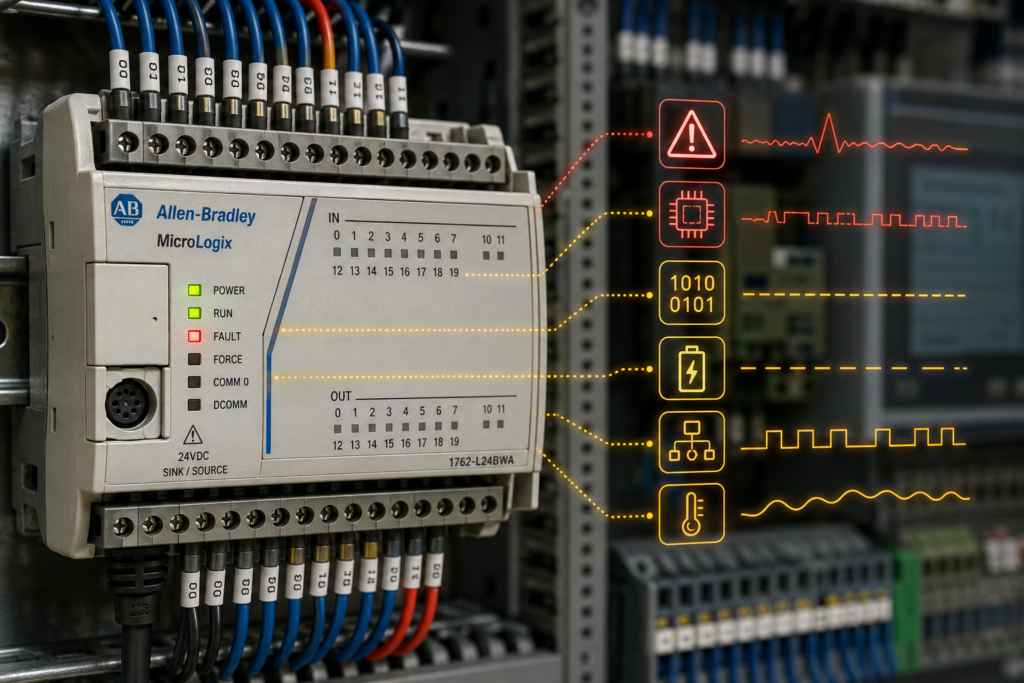
A red FAULT light. A processor that won’t leave Program mode. And somewhere on the machine, a line that’s stopped dead while somebody stands there wondering what a “0020h” is supposed to mean.
If you run Allen-Bradley MicroLogix hardware — the 1000, 1100, 1200, 1400, or the older 1500 — you’ll meet a fault code eventually. And the first time, it’s genuinely confusing, because the code isn’t a plain-English message. It’s a hexadecimal number tucked away in a status register, and the machine assumes you already know where to look.
So let’s fix that. This is how MicroLogix fault codes actually work — where they live, how to read them, what the common ones mean, and how to clear them without just papering over a problem that’s going to come right back.
One quick note before we dive in. The MicroLogix family and the older SLC 500 processors share the same fault system, because they share the same programming software — RSLogix 500 (now branded Studio 5000 Logix 500 in newer versions). So everything here applies across both. If you’ve worked on an SLC 5/03 or 5/05, this’ll look familiar.
Where the fault actually lives: the S:6 register
Here’s the thing beginners miss. When a MicroLogix faults, it doesn’t pop up a tidy error dialog on the machine. It writes a number into a specific spot in memory and lights the LED. That’s it. Finding out what went wrong means going and reading that number.
The number lives in the status file, data file S2, in a word called S:6. That’s the major error code — the single most important place to look when a MicroLogix goes down. <cite index=”10-1″>Whenever a major error occurs, the controller also sets bit S:1/13, the Major Error Halted bit</cite>, which is the flag that actually stops your program from running.
There’s a handy companion register too. <cite index=”10-1″>S:54 holds the last major error fault code, mirroring whatever was in S:6</cite> — useful because it survives in a way that helps with after-the-fact diagnosis.
To read it in RSLogix 500, the fastest route is the Processor Status dialog, on the Errors tab. It shows the code and a plain-language error description, which saves you flipping through a manual. Even quicker: when the controller shows a red FAULTED indicator, click the dropdown arrow beside it and pick Go to Error — it jumps you straight to the offending spot.
Reading the code: it’s hexadecimal, and the leading zero is hiding
The fault code is four hexadecimal digits. So it looks like 0020h, 0052h, 003Dh, and so on — that trailing “h” just means “this is hex.”
One small gotcha that trips people up: <cite index=”17-1″>RSLogix 500 doesn’t display the leading zeros, so error code 0001h shows up as just 1h</cite>. Don’t let that throw you. A code displayed as 20h is the same as 0020h in the reference tables. Mentally pad it back out to four digits and you’ll match the documentation.
And here’s the clever part — the four digits aren’t arbitrary. They’re structured. The two digits on the right tell you the specific fault. The two on the left add context — and what that context means depends on the type of fault. Which brings us to the two big families of MicroLogix faults.
The two families: program/processor faults vs. I/O faults
Nearly every MicroLogix fault falls into one of two buckets, and telling them apart is half the battle.
Program and processor faults cover power-up problems, going-to-run problems, runtime errors, and mistakes in your ladder logic. For these, the high two digits are either 00 or they identify the program file number where the fault happened. So a code like 0020h is a runtime/program fault (00 high byte), and the interesting part is the 20 — math overflow, as it happens.
I/O faults are a different animal, and they encode their high byte differently. For these, <cite index=”17-1″>the first two digits define the slot number of the module involved</cite> — 00 for slot 0, 1E for slot 30, and 1F as a special value meaning the slot couldn’t be determined. So a code like 0250h reads as “slot 2, error 50” — a chassis/module problem on the card in slot 2.
That structure is a gift once you internalize it. Before you even look up the specific code, the shape of it tells you whether you’re chasing a logic bug or a hardware/wiring problem, and roughly where.
The fault codes you’ll actually run into
There are dozens of defined codes, and no working engineer memorizes them all. But a handful account for the large majority of real-world faults. These are the ones worth knowing on sight.
0020h — Mathematical overflow. Probably the single most common MicroLogix runtime fault. It means a math instruction produced a result too big for the destination — usually an integer that blew past the 32,767 ceiling of a 16-bit word, or a divide that went sideways. This is a your-program fault, and it’s usually a scaling or data-type mistake. The classic fix is to trap it: <cite index=”12-1″>you can latch a bit from the S:5/0 math overflow trap bit after each math instruction</cite> to catch exactly which operation overflowed, then correct the scaling or move to a larger data type (a Long integer, L, instead of N).
0016h — Startup protection fault / user fault routine issue on power-up. Relates to how the controller handles a fault at power-up. Often tangled up with battery-backed memory being lost, which is worth checking.
0052h — A required module is missing or removed. <cite index=”9-1″>A module the user program expects is detected as missing or removed; this error is recoverable</cite>. You’ll hit this after pulling an expansion module, or when your project’s I/O configuration lists hardware that isn’t physically there. The fix is to reconcile the two: either put the module back, or delete it from the configuration. Note that <cite index=”9-1″>unlike Logix 5000, RSLogix 500 doesn’t let you simply inhibit a module in the configuration</cite> — so removing it from the config may break the logic that used its addresses, and you may need placeholder addresses until the hardware returns.
003Dh — J4 jumper in the wrong position (SLC 5/03 and similar). A great example of a fault that sounds cryptic but has a dead-simple cause. <cite index=”14-1″>It means the J4 jumper on the motherboard is in the “Program” position without an OS upgrade cartridge present; moving the jumper to “Protect” and re-downloading corrects it</cite>. Pure hardware configuration. Nothing wrong with your logic at all.
0005h — I/O fault. A general input/output error, flagging trouble in the I/O system. When you see an I/O-family code (remember, high byte = slot number), the high digits point you straight to the module to inspect.
For anything outside this shortlist, the Errors tab description in RSLogix 500 is your friend, and Rockwell’s own knowledgebase keeps a full “MicroLogix Major Error Codes” list. But knowing the handful above covers a surprising share of the faults you’ll meet on a real machine.
Recoverable, non-recoverable, non-user: why it matters
Not all faults clear the same way, and MicroLogix sorts them into three categories that change your options.
Recoverable faults are ones the user caused that you can recover from in software. <cite index=”17-1″>These run the user-fault routine, and you clear them by resetting the Major Error Halted bit, S:1/13</cite>. This is what makes graceful fault handling possible — more on that in a second.
Non-recoverable faults also run the user-fault routine, but <cite index=”17-1″>they cannot be cleared</cite> — you get a chance to react (log something, set a safe output state) but the controller isn’t coming back to Run until the underlying cause is fixed.
Non-user faults are caused by conditions outside your program, and here’s the catch: <cite index=”17-1″>the user-fault routine does not run for these</cite>. The 0052h module-missing fault is a non-user fault, which is why you can’t just trap and clear it — you have to fix the hardware/config mismatch.
Knowing which category you’re in tells you immediately whether you’re looking at a software recovery or a “go fix the actual problem” situation.
The user-fault routine: handling faults on purpose
This is the part that separates a robust MicroLogix program from a fragile one.
The MicroLogix lets you designate a user-fault subroutine (its file number goes in status word S:29). When a recoverable or non-recoverable major fault occurs, the controller runs that subroutine before it halts. That’s your window. Inside it, you can read S:6, decide whether the fault is something you’re willing to live with, log it, drive outputs to a safe state, and — for recoverable faults — clear S:1/13 to keep running.
A common, practical pattern: trap math overflow. Rather than let a single 0020h take down the whole line, the fault routine checks the code, decides an overflow on that particular calculation is survivable, logs the file and rung for later investigation, clears the halt bit, and lets production continue. You fix the root cause at the next scheduled stop instead of at 2 a.m.
Two useful status words for pinpointing where a fault happened, on SLC-style processors: S:20 holds the fault rung number and S:21 the fault file number. Handy — though be aware they don’t behave identically across the whole family; on the ML1400 in particular, those particular bits aren’t populated the same way, so you may need to trap the location yourself around each suspect instruction.
How to clear a MicroLogix fault — the right way and the lazy way
When you’re standing at a faulted controller, you’ve got a few options:
The lazy reset is a mode-switch bounce: take the controller from Run to Program and back to Run (or power-cycle it). This clears the halt on a recoverable fault. It also throws away the diagnostic detail and, more importantly, does absolutely nothing about why it faulted. If the cause is still there — the overflow, the missing module, the wiring problem — you’ll be right back where you started, sometimes within seconds.
The right way: get online with RSLogix 500 first. Open Processor Status → Errors, read and write down the S:6 code and its description. Understand what it’s telling you. Fix the actual cause — correct the scaling, reseat or reconcile the module, sort the wiring, move the jumper. Then clear the fault and return to Run. Clearing without diagnosing is how the same fault haunts a machine for months.
The takeaway
A MicroLogix fault code looks like a wall of hex the first time. It isn’t. It’s a structured little message: a status register (S:6) you know where to find, a hex value whose right half names the fault and whose left half tells you where — a program file or an I/O slot — and a category (recoverable, non-recoverable, non-user) that tells you whether you can handle it in software or have to go fix hardware.
Learn to read the Errors tab, keep the common codes — overflow, missing module, I/O, jumper — in your back pocket, and build a user-fault routine for the faults you can survive. Do that, and a red FAULT light stops being a panic and starts being a sentence you can just… read.
Because that’s all a fault code really is. The controller telling you exactly what’s wrong, in a language that takes about ten minutes to learn.