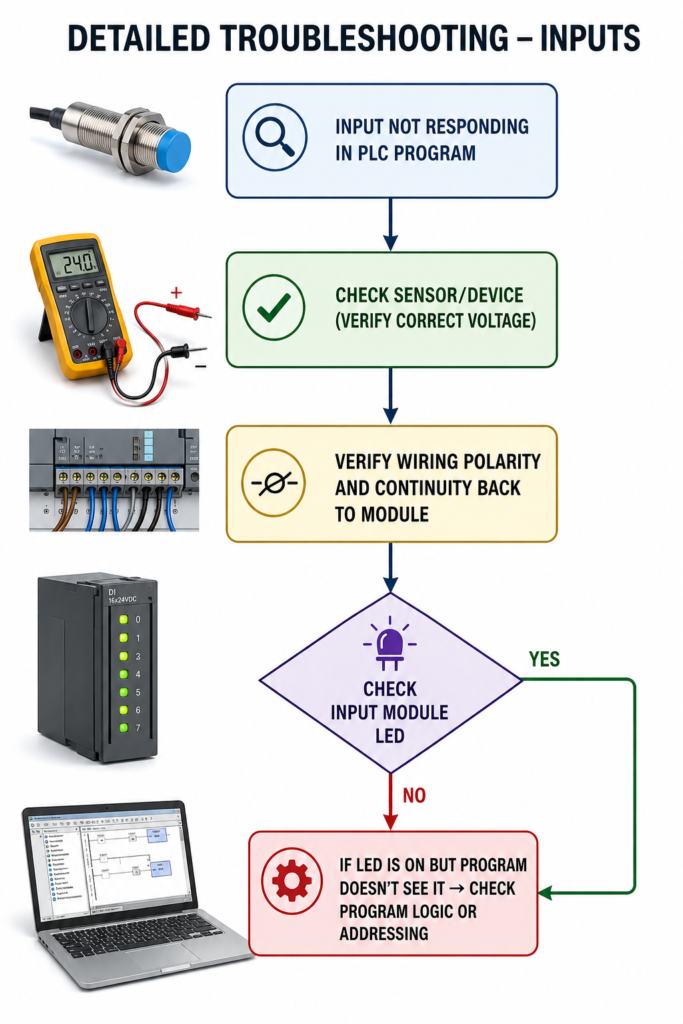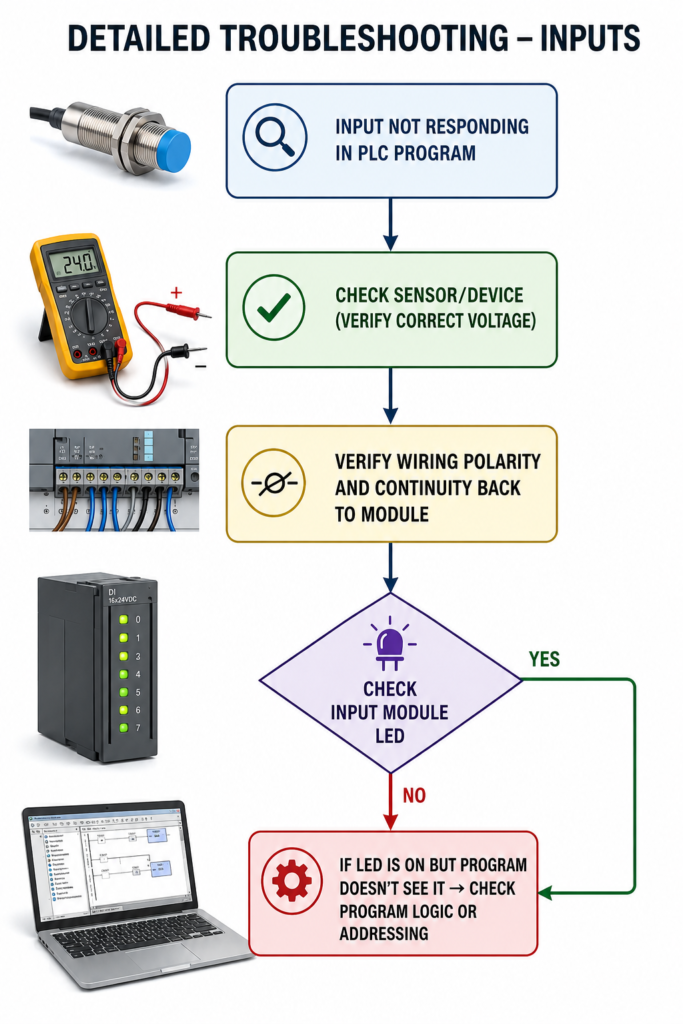
A sensor is active, but the PLC still shows the input as OFF. Before blaming the input module, follow the signal from the field device to the program.
First, check the sensor supply voltage. Most industrial sensors use 24 V DC, but verify the specification. Confirm that the sensor LED changes when the target is present.
Next, measure the sensor output. Check whether it is PNP or NPN and whether the PLC input wiring matches. A sensor LED can work even when its output has failed.
Trace the cable back to the PLC. Look for loose terminals, damaged connectors, broken conductors, incorrect polarity and a missing input common.
Now inspect the input-module LED. If the correct voltage reaches the terminal but the LED remains off, the channel, common connection or module configuration may be faulty.
If the LED turns on but the PLC program still shows OFF, check the rack, slot, channel and tag mapping. Also confirm that the input is not forced OFF.
Follow the path:
Sensor → Wiring → Module LED → PLC Address → Program Logic