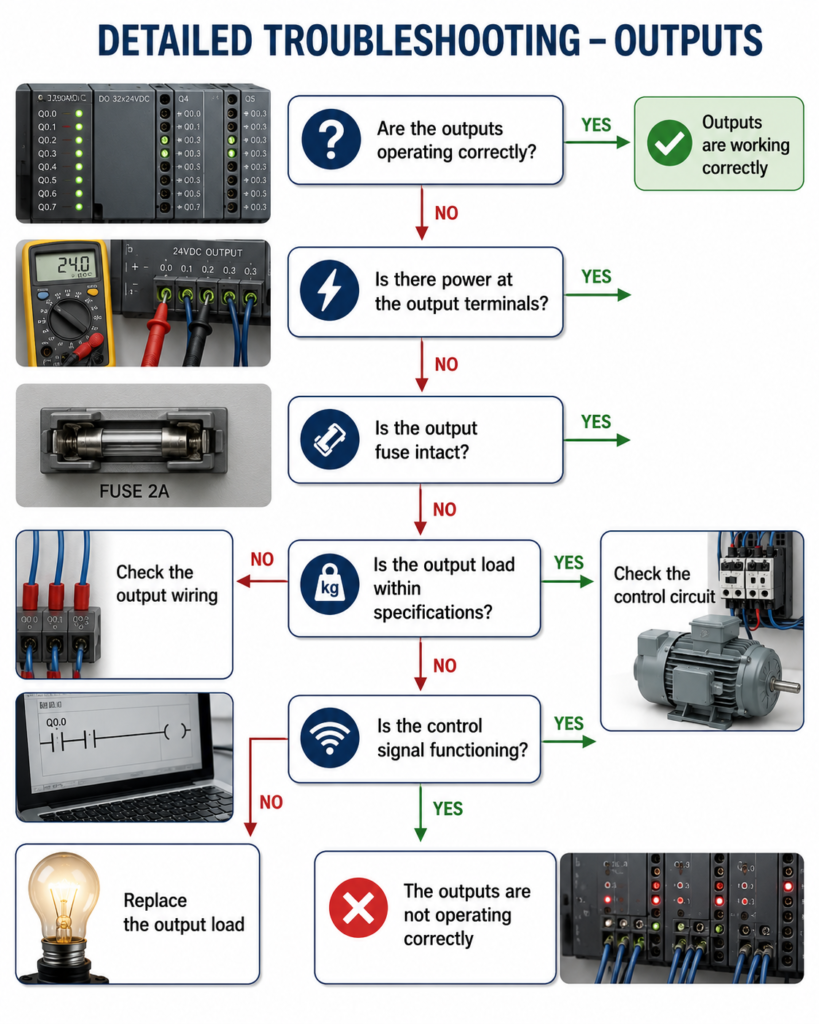
When a PLC output LED is ON but the connected device remains OFF, do not immediately replace the output module. The LED only confirms that the PLC is commanding the channel.
First, measure voltage at the output terminal using the correct common or neutral. If no voltage is present, check the output supply, common connection, fuse and module configuration.
If voltage is present, trace the circuit toward the device. Inspect terminal blocks, wiring, connectors, interposing relays, contactors and overload contacts. A loose connection may show normal voltage without a load but collapse when the device tries to operate.
Confirm that the output type matches the load. Relay, transistor and triac outputs have different voltage and current requirements.
Where safe, test the solenoid, contactor or other load independently using the correct supply voltage. If the device works directly but not through the PLC circuit, suspect the wiring, relay or output channel.
Follow the complete path:
PLC logic → Output module → Fuse → Wiring → Relay → Device