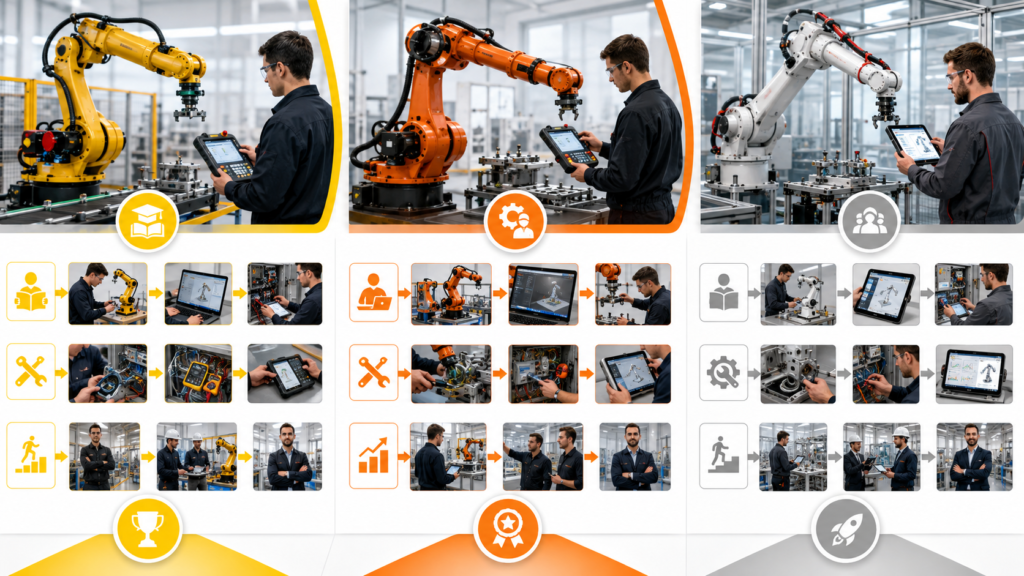
A robotics technician installs, operates, maintains, and troubleshoots industrial robot systems. The job is more practical than many people expect.
You may spend less time designing advanced algorithms and more time investigating collision alarms, damaged cables, incorrect tool data, failed sensors, gripper problems, lost mastering, PLC communication faults, and production programs that no longer run correctly.
You do not normally need to master FANUC, KUKA, and ABB before applying for work. It is better to build strong general maintenance skills, learn one robot platform properly, and then transfer those principles to another manufacturer.
Build the Technical Foundation First
Industrial robots operate as part of a complete automated cell. Knowing how to move the robot is not enough.
A robotics technician should understand:
- Industrial electrical systems
- Sensors, relays, contactors, and 24 V DC circuits
- Pneumatics and vacuum systems
- PLC inputs, outputs, and interlocks
- Industrial Ethernet and fieldbus communication
- Servo motors and feedback systems
- Mechanical alignment and lubrication
- Electrical and mechanical drawings
- Lockout and safe fault-finding procedures
Learn how the PLC and robot exchange signals. A robot may wait for permission to enter a machine, confirm that its gripper is closed, report that a program has finished, or stop because a safety condition is missing.
Many apparent robot faults are actually caused by a failed sensor, damaged gripper, open guard circuit, missing PLC permission, or incorrectly positioned product.
What You Need to Learn on Any Robot
Regardless of manufacturer, your first training should cover:
- Starting and shutting down the controller
- Using the teach pendant
- Jogging safely in different coordinate systems
- Teaching and modifying points
- Tool and work coordinate systems
- Running programs in manual and automatic modes
- Adjusting speed and motion instructions
- Monitoring inputs and outputs
- Creating and restoring backups
- Reading alarm histories
- Recovering after interruptions
- Mastering or calibration basics
- Preventive maintenance
Do not practise robot motion independently around live production equipment. A small programming error can cause a high-speed collision or move equipment outside your immediate field of view.
The FANUC Route
A typical FANUC route begins with robot operation, followed by basic programming, electrical maintenance, mechanical maintenance, and more specialised subjects such as integrated vision or safety.
FANUC Academy provides hands-on robotics courses across Europe for beginner and advanced learners. In the United States, FANUC also operates certified education programmes through partner schools and offers competency-based certifications covering robot operation, programming, and integrated vision.
The main FANUC tools you will encounter include:
- FANUC teach pendant or tablet teach pendant
- R-30-series robot controllers
- Teach Pendant programs
- ROBOGUIDE simulation software
- Dual Check Safety
- FANUC iRVision
ROBOGUIDE allows users to build virtual work cells, program robots offline, import CAD models, test paths, and estimate cycle times. FANUC currently offers a 30-day trial, making it possible to explore the software before gaining access to a physical robot.
FANUC is a good choice when nearby factories, colleges, or integrators already use its equipment. Its large certified-school network can make structured entry-level training easier to find in some regions.
The KUKA Route
KUKA College separates training according to practical roles, including robot operator, maintenance technician, programmer, and robotic-cell planner. Its courses cover operation, programming, maintenance, commissioning, and specialist applications.
Important KUKA tools and terms include:
- KUKA smartPAD
- KUKA System Software, or KSS
- KUKA Robot Language, or KRL
- KUKA.WorkVisual
- KR C4 and KR C5 controllers
- KUKA.Sim or iiQWorks.Sim
Basic operation normally involves learning the smartPAD, jogging, coordinate systems, tool and base calibration, program execution, and recovery. A programming route then introduces KRL, variables, loops, subprograms, messages, and project configuration through WorkVisual. Official KUKA programming courses use practical training cells and can finish with an achievement test and certificate.
KUKA now offers a free entry-level version of iiQWorks.Sim for configuring robots and creating basic simulations. Advanced functions such as virtual robot controllers and full offline programming require higher-level capabilities.
Choose KUKA when local automotive plants, welding integrators, machine builders, or training centres use it. KRL resembles a traditional text-based programming language more closely than purely menu-driven robot programming, which can be useful for learners who want deeper control over program structure.
The ABB Route
ABB Robotics Academy offers classroom, virtual, and online learning for operation, programming, electrical troubleshooting, mechanical maintenance, software, and robotic processes. ABB states that more than 20,000 learners participate annually, while its US training operation lists more than 50 instructor-led robotics courses.
Important ABB tools and terms include:
- FlexPendant
- RobotStudio
- RAPID programming language
- RobotWare
- IRC5 and OmniCore controllers
- SafeMove
- Virtual Controllers
RobotStudio is particularly useful for self-study. It uses ABB’s virtual-controller technology to simulate robot behaviour, create paths, edit RAPID programs, monitor signals, and test applications without stopping a physical production robot. ABB offers unlimited freemium access with basic functionality and a 30-day trial of premium features.
ABB also provides free online tutorials that introduce virtual controllers, robot jogging, tool creation, paths, simulation, and RAPID synchronisation.
For a learner without workplace robot access, ABB may offer the most convenient software-first route because RobotStudio provides a clear path from simulation to RAPID programming. Actual maintenance competence still requires physical experience.
How to Get the First Job
Search for roles such as:
- Junior robotics technician
- Robot maintenance technician
- Automation maintenance technician
- Robot operator or setter
- Controls technician
- Robotic-cell service technician
- Commissioning technician
A factory maintenance role can be an easier entry point than applying immediately as a robot programmer. Volunteer to support robot backups, preventive maintenance, gripper faults, dress-pack inspections, alarm investigation, and cell restart procedures.
Build a small portfolio using ROBOGUIDE, iiQWorks.Sim or KUKA.Sim, or RobotStudio. Demonstrate a pick-and-place cell containing tool data, work coordinates, I/O handshaking, collision avoidance, alarms, and recovery after an interrupted cycle.
Which Route Is Best?
Choose FANUC when it is strongly represented among nearby factories or certified schools.
Choose KUKA when local employers use KUKA cells and you want to develop practical KRL and WorkVisual skills.
Choose ABB when you want accessible simulation, structured RAPID programming, and a strong software-based starting point.
The brand matters less than access. The most valuable platform is the one you can use on real equipment, under experienced supervision, while learning how the complete robotic cell operates.
A robotics technician is not valuable because they can make an arm move. They are valuable because they can find why the cell stopped, restore it safely, and prevent the same failure from returning.