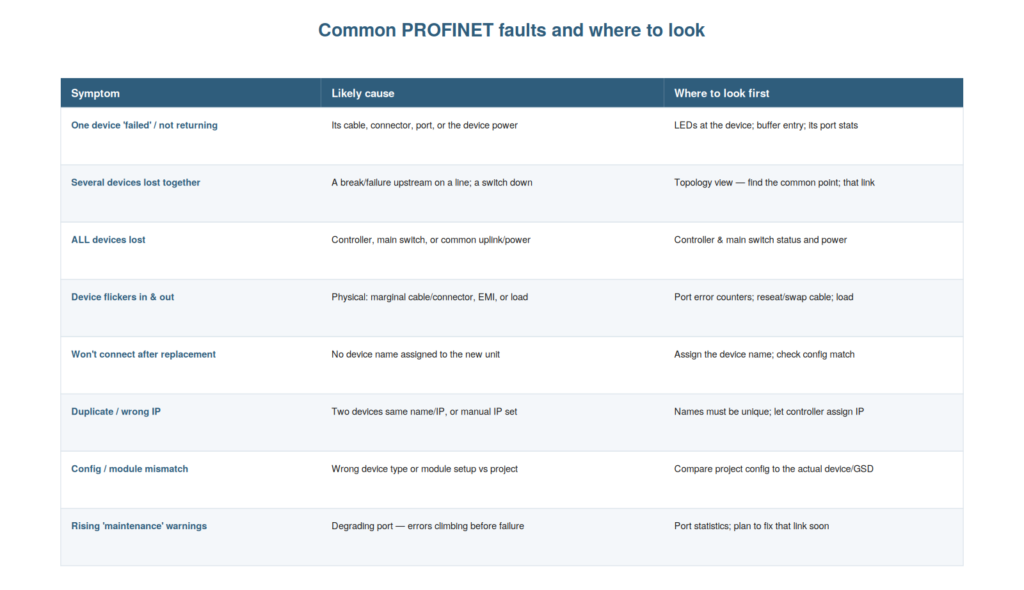
Drawing the diagnostic material together, it helps to have a
reference of the common PROFINET faults — their symptoms, likely causes,
and where to look first — so that you can go straight to the right place
for each. This chapter provides that mapping, consolidating the book’s
diagnostic guidance into a practical reference for the faults a
maintenance technician most often meets.
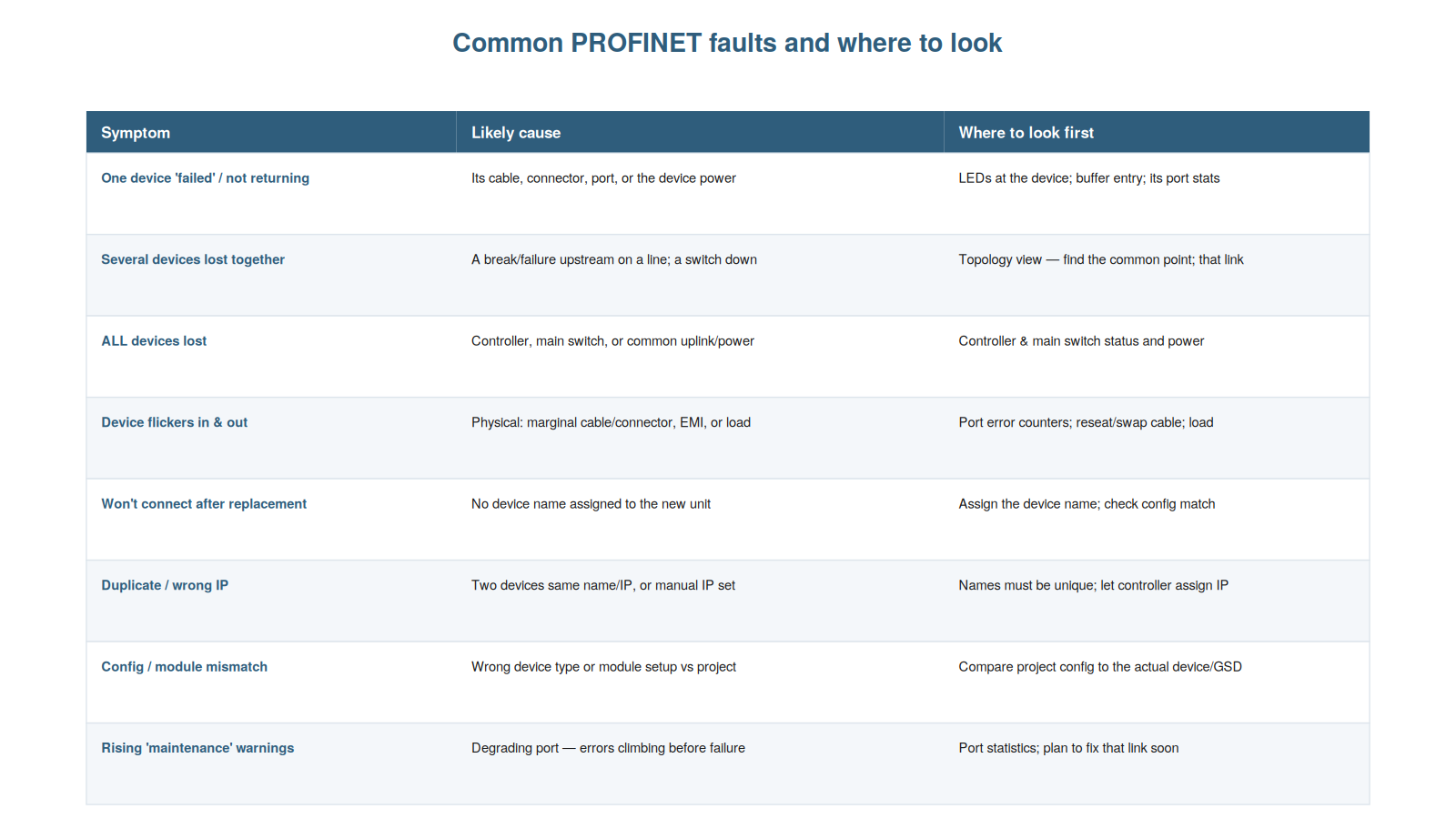
causes and where to look first: from a single failed device to several
lost together, all lost, flickering devices, post-replacement naming, IP
conflicts, config mismatches, and rising maintenance warnings.
The fault-to-cause map
The heart of this reference is the map from common symptoms to their
likely causes and starting points, and understanding it lets you respond
to each fault efficiently. A single device failed or not returning
points to its cable, connector, port, or power — look at the LEDs at the
device, the buffer entry, and its port stats. Several devices lost
together point to a break or failure upstream on a line, or a switch
down — look at the topology view to find the common point. All devices
lost point to the controller, main switch, or common uplink/power — look
at the controller and main switch. A device flickering in and out points
to a physical or load problem — look at the port error counters, and
reseat or swap the cable. A device that will not connect after
replacement points to a missing device name — assign the name. A
duplicate or wrong IP points to a name or manual-IP problem — ensure
unique names and controller-assigned IPs. A config or module mismatch
points to a wrong device or setup — compare the project to the actual
device and GSD. Rising maintenance warnings point to a degrading port —
look at the port statistics and plan to fix that link. So each common
symptom maps to a likely cause and a first place to look. Understanding
this fault-to-cause map lets you respond to each common fault
efficiently. It reinforces that common symptoms map to likely causes and
starting points, letting you go straight to the right place.
Understanding the fault-to-cause map — each common symptom’s likely
cause and first place to look, from a single failed device through
several lost together, all lost, flickering, post-replacement, IP,
config, and maintenance-warning faults — lets you respond to each
efficiently, so that when you meet a fault, you can go straight to its
likely cause and starting point rather than searching, which
consolidates the book’s diagnostic guidance into a practical reference
that directs you to the right place for each of the common PROFINET
faults.
The underlying approach
Behind the specific mappings is the general troubleshooting approach
the book has developed, and understanding it lets you handle even faults
not in the map. The approach: ensure you are safe and know the machine
state. Look first at the LEDs at the device for immediate physical
clues. Let the network talk — read the diagnostics buffer (what and
when) and topology (where). Read the loss pattern against the topology
to localize. Suspect the physical layer, where most faults live — check
cables, connectors, and port statistics. Consider whether anything
changed, and whether load or timing is involved. Then fix the cause and
verify. This general approach — look first, let the network talk, read
the pattern, suspect the physical, consider changes and load, fix and
verify — applies to any fault, including those not in the specific map.
So the map handles the common cases, and the general approach handles
the rest. Understanding the underlying approach — the general method
beneath the specific mappings — lets you handle any fault. It reinforces
that a general approach (look first, let the network talk, read the
pattern, suspect physical, consider changes and load, fix and verify)
underlies the specific mappings and handles any fault. Understanding the
underlying approach — the general method of looking first at the LEDs,
letting the network talk through its diagnostics, reading the loss
pattern, suspecting the physical layer, considering changes and load,
and fixing and verifying — lets you handle any PROFINET fault, including
those not in the specific map, so that beyond the common cases the map
covers, you have a transferable method that applies the book’s
principles to any situation, which is the deeper value of the diagnostic
guidance: not just a list of faults but an approach that equips you for
whatever you meet.
When to escalate
Part of good troubleshooting is knowing when to escalate a fault
beyond your scope, and understanding this — doing so with good
information — is responsible practice. If you have applied the
diagnostic approach systematically and cannot find or safely fix the
fault, or if it involves things beyond your training (complex
configuration, safety-related networks, unfamiliar equipment), the right
action is to escalate — to a more experienced technician, a network
specialist, or the equipment supplier — rather than making changes you
are unsure of. Escalating with good information helps: you can report
what you found (the diagnostics buffer contents, the loss pattern, the
LED states, the port statistics), which speeds the expert’s diagnosis.
Escalating is not failure; it is the responsible choice when a fault
exceeds your knowledge or authority, and it avoids the harm that
guessing could cause. Understanding when and how to escalate — with good
information, when the fault exceeds your scope — is responsible
practice. It reinforces that escalating appropriately, with the
information you have gathered, is the right response to a fault you
cannot safely resolve. Understanding when to escalate — and doing so
with the good diagnostic information you have gathered — is part of
responsible troubleshooting, so that when a fault exceeds your training
or authority, or resists your systematic diagnosis, you escalate to the
appropriate expert with what you have found (the buffer, the pattern,
the LEDs, the statistics), which handles the fault responsibly and helps
the expert, recognizing that knowing your limits and escalating well is
a mark of good practice rather than a shortcoming, and that it protects
both the machine and your integrity as a technician.
The value of asking ‘what changed?’
A simple diagnostic habit that applies across all the common faults
is asking ‘what changed?’, and understanding its value makes it a
reliable first question. Many faults appear right after something
changed — a device replaced, a configuration downloaded, physical work
done, equipment added — and in these cases the change is very often the
cause. So asking ‘what changed just before this fault appeared?’
frequently points straight to the cause: a fault after a replacement
suggests the replacement (a missing name), a fault after a configuration
change suggests the configuration, a fault after physical work suggests
a disturbed cable. Even when nothing obviously changed, asking the
question is worthwhile — it may surface a change you were not aware of,
or confirm that the fault arose on its own (pointing to a developing
failure). So ‘what changed?’ is a valuable first question that often
shortcuts the diagnosis. Understanding the value of asking ‘what
changed?’ — that faults often follow changes, which are then the likely
cause — makes it a reliable diagnostic habit. Understanding the value of
asking ‘what changed?’ — recognizing that many faults appear right after
a change that is then the likely cause — makes it a reliable first
question across all the common faults, so that you habitually ask what
was changed or done just before the fault appeared, which often points
straight to the cause (a replacement, a configuration change, physical
work) and shortcuts the diagnosis, while even a negative answer is
informative in pointing toward a developing failure, making ‘what
changed?’ one of the most efficient opening questions in
troubleshooting.
Scenario: ‘what changed?’ solved it
A scenario shows the ‘what changed?’ question shortcutting a
diagnosis. A device that had run reliably for months suddenly would not
connect. Before diving into a full diagnosis, the technician asked the
simple question: what changed? He learned that maintenance had been done
on that part of the machine that morning. This immediately suggested the
fault was related to that work — likely a disturbed cable or connector.
He checked the connections in the area of the maintenance work and found
a cable that had been knocked loose during the work. Reseating it
restored the device. Asking ‘what changed?’ had pointed straight to the
cause — the recent maintenance work — shortcutting what could have been
a lengthy diagnosis. This scenario shows ‘what changed?’ pointing
straight to the cause of a fault. Understanding the value of asking
‘what changed?’ let the technician connect the fault to recent
maintenance work and find the disturbed cable quickly. It reinforces
that asking ‘what changed?’ often points straight to the cause when a
fault follows a change, shortcutting the diagnosis. The scenario
reinforces the value of the ‘what changed?’ question: the technician
shortcut a diagnosis by learning that maintenance work had been done,
pointing straight to a disturbed cable, illustrating how this simple
first question often reveals the cause when a fault follows a change,
saving the effort of a full diagnosis by connecting the fault directly
to what was recently changed or done.
Distinguishing network faults from device faults
A useful distinction when diagnosing is between a network fault and a
device fault, because they call for different fixes and confusing them
wastes effort. A network fault means the communication is the problem —
the device is fine but cannot communicate (a cable, connector, switch,
or load problem interrupting its data). A device fault means the device
itself has a problem — an internal failure, a fault it reports about its
own function, regardless of communication. These call for different
responses: a network fault is fixed by restoring communication (the
cable, connector, etc.), while a device fault is fixed by addressing the
device (repair or replacement). Distinguishing them: if the device
cannot communicate at all (failed on the network, dark link), it is
likely a network/communication fault; if the device communicates fine
but reports its own fault (a device diagnosis about its function), it is
a device fault. So distinguishing network from device faults directs you
to the right fix. Understanding how to distinguish network faults from
device faults — communication problem versus device problem — directs
you to the right fix. Understanding how to distinguish network faults
from device faults — a communication problem where the device is fine
but cannot communicate, versus a device problem where the device itself
has failed or reports its own fault — directs you to the right fix, so
that you address a network fault by restoring the communication (cable,
connector, switch, load) and a device fault by addressing the device
(repair or replacement), rather than confusing the two and wasting
effort, which is a useful distinction that the diagnostics help you
make: a device failed on the network with a dark link points to
communication, while a device communicating fine but reporting its own
fault points to the device.
A reference and a method together
To close, it helps to appreciate that this chapter gives you both a
reference and a method, because having both is what equips you for the
full range of faults. The fault-to-cause map is a reference: a quick
lookup for the common faults and where to look. The underlying approach
is a method: a general procedure for any fault, including the uncommon
ones. Together they equip you fully: the reference gives fast answers
for the common cases you will meet most, and the method gives a reliable
procedure for anything the reference does not cover. So you carry both —
the specific map for speed on common faults, the general method for
coverage of all faults. Having both a reference and a method means you
are equipped for the frequent and the novel alike, which is the complete
preparation for PROFINET faults. Understanding that you have both a
reference and a method — the map for common faults, the approach for any
fault — equips you for the full range. Understanding that this chapter
gives you both a reference and a method — the fault-to-cause map for
fast answers on common faults and the underlying approach for a reliable
procedure on any fault — equips you for the full range of PROFINET
faults, so that you carry the specific map for speed on the frequent
cases and the general method for coverage of the novel ones, which
together provide complete preparation: quick lookup for what you meet
most and a dependable procedure for whatever the map does not cover, the
reference and the method complementing each other for the frequent and
the novel alike.