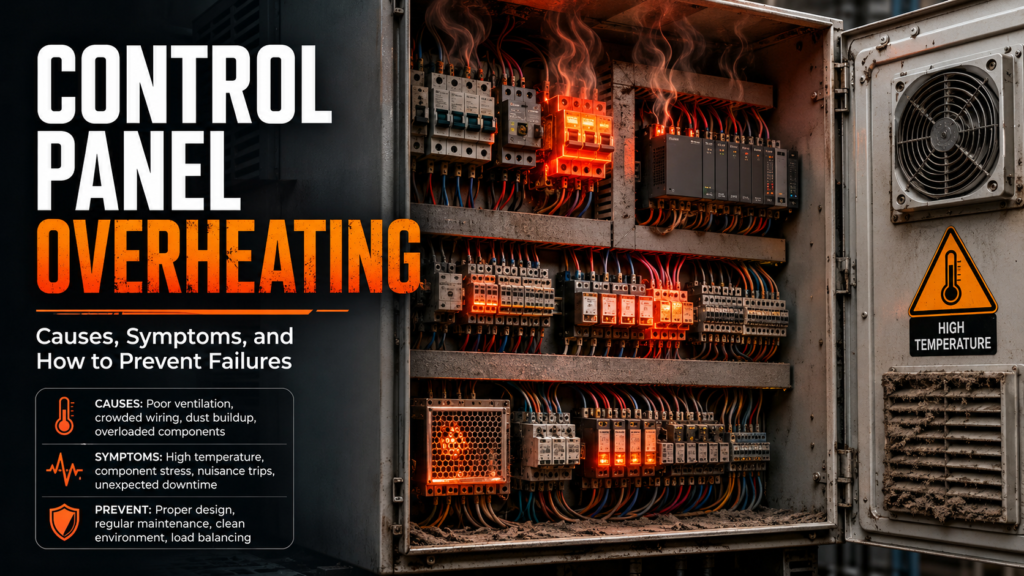
A control panel usually does not fail loudly at first.
It starts quietly.
A VFD trips once in the afternoon. A 24V power supply feels a bit too warm. The PLC runs fine with the cabinet door open, then faults when the door is closed. A cooling fan makes that sad grinding noise that everyone hears but nobody wants to deal with. And the filter? Completely packed with dust, like it has been collecting factory history since 2017.
Then one day the machine stops.
Now it is urgent.
Control panel overheating is one of those problems that often gives warning signs before the real failure happens. The trouble is, those signs are easy to ignore because the machine may still run. Until it doesn’t.
Heat is not just uncomfortable for electrical components. It shortens component life, causes random faults, weakens connections, trips drives, damages power supplies, and can even create fire risk if loose terminals or overloaded circuits are involved.
So let’s go through the real causes, the symptoms, and the practical checks that help prevent expensive failures.
Why Control Panel Overheating Is a Serious Problem
Electrical and automation components are designed to work within a certain temperature range.
When the inside of the control cabinet gets too hot, components may still work for a while, but their life becomes shorter. Much shorter sometimes.
Heat can affect:
- VFDs
- PLCs
- Power supplies
- Relays
- Contactors
- Terminal blocks
- Safety relays
- Servo drives
- HMIs
- Industrial switches
- Circuit breakers
- Fuses
- Soft starters
- UPS units
- Electronic circuit breakers
- I/O modules
Some devices shut down with thermal faults. Some derate. Some behave strangely. Some just age faster and fail later, which is extra annoying because the connection to overheating is not always obvious.
A control panel does not need to be smoking to be in trouble.
If components are always running hot, the panel is already asking for help.
Politely at first.
Then expensively.
Common Symptoms of Control Panel Overheating
Overheating can show up in many ways.
Some are obvious. Some are sneaky.
Common symptoms include:
- VFD overtemperature faults
- Servo drive thermal alarms
- 24V power supply dropping voltage
- PLC or remote I/O modules restarting
- HMI freezing or rebooting
- Random communication errors
- Control panel fan not running
- Cabinet feels hot outside
- Hot air when panel door is opened
- Burnt smell
- Discolored terminals
- Brown or melted insulation
- Contactors buzzing or failing early
- Fuses running hot
- Breakers tripping under load
- Components too hot to touch
- Faults that happen mostly in summer
- Faults that happen after several hours of running
- Machine works with panel door open but fails when closed
That last one is a giant clue.
If the machine works better with the cabinet door open, you probably have a heat or ventilation problem. Opening the door may cool the panel, but it also ruins enclosure protection and can let dust, moisture, and metal particles inside.
So, no, leaving the door open with a fan pointed at the panel is not a proper long-term fix.
It is a temporary survival trick.
And not a very elegant one.
1. Blocked Filters
Blocked filters are one of the most common causes of control panel overheating.
A cabinet fan can only move air properly if the intake and exhaust paths are clear. If the filter is packed with dust, fibers, oil mist, wood particles, flour, plastic powder, or whatever your factory produces, airflow drops badly.
The fan may still spin.
But almost no air moves.
Check:
- Intake filter
- Exhaust filter
- Filter mats
- Fan grille
- Dust buildup
- Oil contamination
- Blocked louvers
- Filter replacement schedule
Good signs:
- Filter is clean
- Airflow is strong
- Fan pulls air through easily
- Cabinet temperature stays stable
Bad signs:
- Filter is dark, clogged, oily, or packed with dust
- Weak airflow
- Fan sounds strained
- Hot air trapped inside cabinet
- Temperature rises during production
- Filter has not been changed in months
A blocked filter is boring.
It is also incredibly effective at killing components slowly.
If your panel has cooling fans, filter maintenance should be part of regular preventive maintenance. Not “when somebody remembers.” Regular.
2. Failed Cooling Fan
A failed fan is another classic cause.
Sometimes the fan stops completely. Sometimes it runs slowly. Sometimes it starts only if you tap it. Sometimes it sounds like a small angry tractor. Sometimes it spins, but the blades are so dirty that airflow is poor.
Check:
- Fan rotation
- Airflow direction
- Fan noise
- Fan bearing condition
- Supply voltage to fan
- Fan thermostat
- Fan grille
- Fan wiring
- Dust on blades
- Fan age
Good signs:
- Fan starts when required
- Airflow is strong
- Fan runs quietly
- Correct direction of airflow
- Thermostat switches properly
Bad signs:
- Fan does not run
- Fan runs slowly
- Fan makes grinding noise
- Fan starts and stops randomly
- Fan direction wrong
- No voltage at fan
- Thermostat not switching
- Fan covered in dust
Do not only look at the fan blade and say, “It is spinning.”
Check actual airflow.
A weak fan can spin beautifully and cool almost nothing. Very decorative. Not very useful.
3. Wrong Airflow Direction
Cabinet cooling needs proper airflow.
Usually, cooler air enters from the lower part of the cabinet and warmer air exits near the top. Hot air rises, so this arrangement makes sense.
Problems happen when:
- Fan is installed backwards
- Intake and exhaust are too close together
- Hot air recirculates
- Cabinet is blocked by a wall or another machine
- Exhaust blows into a hot corner
- Air cannot move around large components
- Cable ducts block airflow
- Components are packed too tightly
Good signs:
- Cool air enters low
- Warm air exits high
- Air moves through the cabinet
- No hot pockets around drives
- Intake and exhaust are not blocked
Bad signs:
- Hot air recirculates back into intake
- Fans fight each other
- Airflow path blocked by cable ducts
- VFDs mounted too close together
- Exhaust area blocked
- Cabinet installed against a wall with no space
- Top of cabinet becomes very hot
Airflow is like a road.
If the road is blocked, the air does not magically find a perfect path.
It just fails quietly.
4. Too Much Heat From VFDs and Drives
VFDs, servo drives, soft starters, and power electronics generate heat during operation.
A panel with several drives needs proper cooling.
Check:
- Number of drives in panel
- Drive power rating
- Load current
- Switching frequency
- Drive spacing
- Heat sink ventilation
- Manufacturer clearance requirements
- Cabinet cooling capacity
- Ambient temperature
- Braking resistor location
A common mistake is adding extra drives into an existing panel without recalculating heat.
The panel was fine with one VFD.
Then two more were added.
Now the cabinet runs hot every afternoon and everyone pretends it is a mystery.
It is not.
More power electronics = more heat.
Good signs:
- Drives have enough spacing
- Heat sinks are clean
- Cooling airflow passes through drives
- Cabinet cooling sized correctly
- Drive temperature stays normal
Bad signs:
- Drives mounted too close together
- Heat sinks clogged
- VFD thermal alarms
- Drives trip after long running
- Cabinet temperature rises with motor load
- Braking resistor mounted inside cabinet
- Cooling not upgraded after adding drives
If a braking resistor is mounted inside the control panel, that is especially suspicious.
A braking resistor is literally designed to turn electrical energy into heat.
Putting it inside a cabinet full of electronics can be like installing a toaster in a library.
Sometimes required by design, but usually worth questioning.
5. High Ambient Temperature
The control panel cannot cool properly if the surrounding air is too hot.
If the factory floor is already hot, the cabinet has less ability to dump heat.
Check:
- Room temperature
- Summer conditions
- Nearby ovens, heaters, furnaces, compressors
- Direct sunlight
- Poor ventilation around cabinet
- Outdoor installation
- Roof or wall heat
- Hot production zones
A cabinet that works perfectly in winter may overheat in July.
That does not mean the components suddenly became bad. The cooling margin was probably too small.
Good signs:
- Ambient temperature within component limits
- Cabinet not near heat sources
- No direct sunlight
- Room ventilation adequate
Bad signs:
- Faults only during hot weather
- Cabinet installed near oven/heater
- Sun hitting outdoor enclosure
- Hot compressor room
- Ambient temperature close to device maximum rating
If faults happen mostly in the afternoon, during summer, or when nearby equipment is running, temperature is a serious suspect.
Heat faults love timing.
6. Dirty Components and Heat Sinks
Dust acts like insulation.
It blocks airflow and traps heat.
Check:
- VFD heat sinks
- Power supply vents
- PLC ventilation slots
- Servo drive heat sinks
- Fans
- Filters
- Contactors
- Terminal areas
- Cable ducts
- Cabinet floor
Good signs:
- Components clean
- Ventilation slots open
- Heat sinks clear
- No dust blanket on electronics
Bad signs:
- Dust layer on components
- Heat sink fins clogged
- Fan blades dirty
- Dust inside power supply
- Sticky oil/dust mixture
- Metal dust present
Metal dust is especially dangerous because it can also cause short circuits.
Clean panels carefully. Do not blast sensitive electronics with high-pressure compressed air without thinking. You can push dirt deeper into components, create static issues, or spread conductive dust everywhere.
Use proper cleaning methods for electrical panels.
A cabinet should not look like a vacuum cleaner bag.
7. Loose Terminals and Bad Connections
Not all heat comes from cabinet temperature.
Some heat is created at bad electrical connections.
Loose terminals create resistance. Resistance creates heat. Heat damages the connection further. Then resistance increases more. It becomes a nasty little cycle.
Check:
- Main incoming terminals
- Breaker terminals
- Contactor terminals
- Motor starter terminals
- Fuse holders
- VFD input/output terminals
- Power supply terminals
- Neutral terminals
- PE connections
- Busbars
- Distribution blocks
Good signs:
- Terminals tight to correct torque
- No discoloration
- No melted insulation
- No hot spots
- No burnt smell
Bad signs:
- Brown or black terminal
- Melted insulation
- Burnt smell
- Loose screw
- Discolored copper
- Cracked terminal block
- Warm fuse holder
- Heat only at one connection
A thermal camera is very useful here.
One terminal much hotter than similar terminals is a big warning sign.
Do not ignore it.
A loose connection can become a fire risk.
And it rarely improves by itself. Funny how that works.
8. Overloaded Circuits
Overloaded circuits create extra heat.
This can happen when equipment has been modified, extra loads added, or components are undersized.
Check:
- Motor currents
- VFD currents
- Power supply load current
- Transformer load
- Circuit breaker rating
- Wire size
- Fuse rating
- Contactor rating
- Terminal block rating
- Load added after original design
Good signs:
- Current below rated values
- Components sized correctly
- Wires not hot
- Breakers not warm under normal load
- Power supply not near maximum capacity
Bad signs:
- Current near or above rating
- Power supply overloaded
- Breaker warm or tripping
- Wires warm
- Transformer hot
- Added loads not documented
- Components running at limit all day
A component may technically survive at high load, but running everything close to maximum rating inside a hot cabinet is not smart.
There is no breathing room.
And electrical components like breathing room.
Metaphorically, of course.
9. Poor Panel Design or Component Layout
Sometimes the overheating problem is built into the panel.
Common design issues:
- Components packed too tightly
- VFDs below heat-sensitive devices
- Power supplies mounted near heat sources
- No ventilation space
- Cable ducts blocking cooling slots
- Wrong enclosure size
- Cooling system too small
- No separation between power and control components
- Heat-generating devices mounted at the bottom with hot air rising through everything
- No thermostat control
- No temperature monitoring
Good signs:
- Components have required clearance
- Heat-generating devices placed properly
- Airflow path is clear
- Cabinet size suits heat load
- Cooling system sized correctly
- Temperature monitoring available
Bad signs:
- VFD heat blows directly into PLC
- Power supply surrounded by warm devices
- Drives stacked with no clearance
- Vent slots covered by cable duct
- Tiny cabinet full of large power devices
- No cooling calculation ever done
A neat-looking panel is not automatically a good thermal design.
You can have beautiful wiring and terrible airflow.
Very Instagram-ready. Still overheating.
10. Cabinet Door Left Open
This one sounds backwards.
Opening the cabinet door may reduce heat temporarily, but it can create other problems.
When the door is left open:
- Dust enters
- Moisture enters
- Metal chips can enter
- Enclosure IP rating is lost
- Cooling airflow design is ruined
- Operators may access dangerous parts
- Fans may no longer move air correctly
- Fault becomes hidden instead of fixed
A machine that only works with the panel door open has a cooling problem.
The open door is not the solution.
It is the clue.
Find out why the cabinet cannot stay cool when closed.
11. Wrong Enclosure Cooling Method
Different environments need different cooling solutions.
Basic fan-and-filter cooling works only when the ambient air is cooler and clean enough.
In dusty, hot, oily, wet, or washdown environments, a simple fan may not be enough.
Cooling options include:
- Fan and filter units
- Air conditioners
- Heat exchangers
- Vortex coolers
- Panel ventilation
- Separate drive compartments
- External heat sinks
- Forced ventilation
- Cabinet heaters for condensation control
- Thermostats
- Temperature sensors
Fan-and-filter units are common, but they pull outside air into the cabinet. That may be bad in dirty environments.
Air conditioners can cool sealed enclosures better, but they need maintenance too.
Heat exchangers can help where the cabinet should remain closed.
There is no one perfect solution.
The right method depends on heat load, ambient temperature, dust, moisture, and enclosure requirements.
A dusty woodworking area and a clean electrical room are not the same universe.
12. Failed Thermostat or Temperature Control
Many panels use thermostats to switch fans or cooling units.
If the thermostat fails or is set incorrectly, the fan may never start.
Check:
- Thermostat setting
- Sensor location
- Fan output from thermostat
- Wiring
- Contact condition
- Cooling unit control input
- Temperature switch operation
Good signs:
- Fan starts at correct temperature
- Thermostat reads cabinet temperature properly
- Sensor located in representative area
- Cooling unit cycles normally
Bad signs:
- Fan never starts
- Fan starts too late
- Thermostat set too high
- Sensor placed in cool spot while drives overheat
- Thermostat contact failed
- Wiring loose
If the thermostat is mounted low in a cool area, it may not detect the hot pocket near drives at the top.
Sensor location matters.
A lot.
13. Hot Spots Inside the Cabinet
The average cabinet temperature may look acceptable, but one area can still be too hot.
Hot spots often occur around:
- VFDs
- Servo drives
- Power supplies
- Transformers
- Braking resistors
- Dense relay groups
- Contactors
- Fuse holders
- Poorly ventilated corners
- Top of cabinet
- Components mounted above heat sources
Use:
- Thermal camera
- Infrared thermometer
- Temperature labels
- Cabinet temperature sensor
- Drive internal temperature reading
- PLC diagnostics, if available
Good signs:
- No abnormal hot spots
- Similar components have similar temperatures
- Heat sources ventilated properly
Bad signs:
- One terminal much hotter than others
- Top of cabinet extremely hot
- Drive area much hotter than cabinet average
- Power supply too hot
- Fuse holder hot
- Hot cable duct area
A hot spot tells you where to investigate.
It might be bad airflow.
It might be overload.
It might be loose connection.
But it is not something to ignore.
14. VFD Switching Frequency Too High
VFD parameters can affect heat.
Higher switching frequency can reduce motor noise, but it may increase drive heating.
Check:
- VFD switching/carrier frequency
- Motor noise requirements
- Drive temperature
- Manufacturer derating rules
- Load current
- Cabinet cooling capacity
Good signs:
- Switching frequency within recommended range
- Drive temperature normal
- Cooling sized for drive heat loss
Bad signs:
- Switching frequency set high without reason
- Drive runs hot
- VFD trips on overtemperature
- Drive derating ignored
- Cabinet cooling marginal
Do not randomly change switching frequency without understanding the application. But if a drive is overheating and the carrier frequency is set high, it is worth checking the manual and parameters.
Sometimes the drive is making extra heat because someone wanted the motor a little quieter.
Trade-offs. Always trade-offs.
15. Power Supply Overheating
24V DC power supplies are common heat victims.
A power supply may overheat because:
- It is overloaded
- It is old
- Ventilation is blocked
- Cabinet temperature is high
- It is mounted too close to hot devices
- Input voltage is poor
- Dust blocks cooling slots
- It is undersized for added loads
Symptoms:
- 24V drops
- PLC inputs flicker
- Remote I/O resets
- HMI reboots
- Power supply cycles on and off
- Supply feels very hot
- Faults happen after warm-up
Good signs:
- Load current below rating
- Vent slots clear
- Output voltage stable
- Power supply not too hot
- Enough space around it
Bad signs:
- Output voltage drops when hot
- Supply cycling
- Power supply mounted next to VFD
- Dusty vents
- Current near max rating
- Supply too hot to touch
If your 24V supply is cooking every day, replacement alone may not solve the root cause.
Find out why it is hot.
16. Outdoor Panels and Sun Exposure
Outdoor cabinets have extra problems.
Direct sunlight can heat an enclosure far above ambient temperature. Rain, humidity, condensation, and dust make cooling more complicated too.
Check:
- Direct sun exposure
- Cabinet color
- Sun shield
- Ventilation
- Sealed cooling unit
- Condensation
- Drainage
- IP rating
- Filter condition
- Internal temperature log
Good signs:
- Sun shield installed
- Cooling rated for outdoor use
- Enclosure sealed properly
- Condensation controlled
- Temperature stays within limits
Bad signs:
- Cabinet in direct sun all day
- Cooling vents clogged
- Condensation inside
- Water marks
- Components rusting
- Summer-only faults
- Door seals damaged
Outdoor panels need more planning than indoor panels.
A cabinet sitting in direct summer sun can become an oven.
Not metaphorically.
Basically an oven.
17. How to Check a Control Panel for Overheating
Use a practical inspection order.
Step 1: Check the symptoms
Ask:
- When do faults happen?
- Only after long running?
- Only in summer?
- Only with panel door closed?
- Only when drives run?
- Only when machine is heavily loaded?
Step 2: Measure temperature
Check:
- Cabinet internal temperature
- Ambient temperature
- VFD internal temperature
- Power supply temperature
- Hot spots
- Top and bottom cabinet temperature
Step 3: Check cooling system
Inspect:
- Fans
- Filters
- Airflow
- Thermostat
- Cooling unit
- Air conditioner
- Heat exchanger
- Fan direction
Step 4: Check heat sources
Look at:
- VFDs
- Servo drives
- Transformers
- Braking resistors
- Power supplies
- Contactors
- Overloaded circuits
Step 5: Check connections
Inspect:
- Terminals
- Busbars
- Fuses
- Contactors
- Breakers
- Discoloration
- Melted insulation
- Loose wiring
Step 6: Check recent changes
Ask:
- Was a VFD added?
- Was a power supply added?
- Was ventilation blocked?
- Was the cabinet moved?
- Were filters replaced with the wrong type?
- Was a cooling fan disconnected?
Recent changes love causing “new mysterious faults.”
Not mysterious.
Just new.
Quick Checklist: Control Panel Overheating
Use this checklist during inspection.
- Check cabinet temperature
- Internal temperature
- Ambient temperature
- Top of cabinet
- Near drives and power supplies
- Check filters
- Clean or clogged?
- Oil/dust buildup?
- Correct filter type?
- Replacement schedule?
- Check fans
- Running?
- Correct direction?
- Good airflow?
- No grinding noise?
- Check airflow path
- Intake low?
- Exhaust high?
- Ducts blocking vents?
- Components too close?
- Check drives
- VFD temperature
- Servo drive alarms
- Heat sink clean?
- Spacing correct?
- Check power supplies
- Output stable?
- Load current OK?
- Vents clear?
- Supply too hot?
- Check terminals
- Loose?
- Discolored?
- Burnt smell?
- Hot spots?
- Check circuit loading
- Motor currents
- Transformer load
- 24V load
- Added devices?
- Check cooling control
- Thermostat works?
- Sensor location correct?
- Cooling unit starts?
- Check environment
- Dust?
- Oil mist?
- High ambient temperature?
- Direct sunlight?
- Moisture?
Good vs Bad Signs
| Check Area | Good Sign | Bad Sign |
|---|---|---|
| Cabinet temperature | Stable within component limits | Rises during operation, high top temperature |
| Filters | Clean, airflow strong | Clogged, oily, dusty |
| Fans | Runs smoothly, correct airflow | Stopped, noisy, weak airflow |
| VFDs/drives | No thermal alarms, clean heat sinks | Overtemperature faults, hot heat sinks |
| Power supply | Stable 24V, not overheated | Voltage drops, supply very hot |
| Terminals | Clean, tight, no discoloration | Brown, melted, loose, burnt smell |
| Airflow | Clear intake/exhaust path | Blocked vents, poor circulation |
| Layout | Components spaced correctly | Drives packed tightly, vents blocked |
| Environment | Cool, clean, ventilated | Dusty, hot, oily, direct sun |
| Cooling control | Thermostat starts fan/cooler | Fan never starts, sensor poorly placed |
Example 1: Machine Faults Only in the Afternoon
A machine runs fine in the morning.
After lunch, the VFD starts tripping with overtemperature.
You open the panel and feel hot air. Filters are clogged, and the cabinet fan is running but barely moving air.
Cause: poor airflow from blocked filters.
After replacing filters and cleaning the fan grille, cabinet temperature drops and the VFD stops tripping.
The VFD was not bad.
It was just breathing through a dirty sock.
Example 2: 24V Power Supply Drops After One Hour
The PLC and remote I/O restart after about one hour of machine operation.
The 24V power supply is very hot. It is mounted directly above a VFD, and its ventilation slots are covered partly by cable duct.
Cause: power supply overheating due to poor placement and blocked ventilation.
Fix may involve relocating the supply, clearing ventilation space, improving airflow, and checking load current.
Replacing the supply without fixing heat may only reset the timer until the next failure.
Example 3: Burnt Smell Near Breaker
A control panel has a burnt smell, but the machine still runs.
Thermal camera shows one breaker terminal much hotter than the others.
Power is isolated, and the terminal is found loose with discolored insulation.
Cause: loose connection generating heat.
This is serious.
A loose high-current connection can become a fire risk. Do not ignore burnt smells or discolored terminals just because the machine still works.
Machines often work right up until they don’t.
Example 4: Panel Works Only With Door Open
A machine shows random communication faults when the cabinet door is closed.
With the door open, faults disappear.
Inside the panel, an Ethernet switch and remote I/O module are mounted near a hot drive. The cooling fan is dead.
Cause: internal overheating affecting electronics.
The open door was cooling the panel enough to hide the issue.
Proper fix: replace fan, clean filters, check airflow, and verify temperature under normal closed-door operation.
Not leave the door open forever with a floor fan.
We’ve all seen it.
Still not right.
How to Prevent Control Panel Overheating
Prevention is usually cheaper than replacing drives, PLCs, and power supplies.
Good prevention steps:
- Clean or replace filters regularly
- Test cooling fans during maintenance
- Keep cabinet doors closed
- Check cabinet temperature during production
- Use thermal camera inspections
- Tighten terminals to proper torque during scheduled maintenance
- Keep heat sources separated from sensitive electronics
- Maintain proper component spacing
- Keep airflow paths clear
- Remove dust carefully
- Check VFD heat sinks
- Monitor 24V power supply load
- Use correct enclosure cooling method
- Add temperature alarms where needed
- Recalculate heat load after panel modifications
Also, document changes.
If someone adds a VFD, power supply, HMI, transformer, or extra relay bank, the cabinet heat load changes.
Control panels do not have infinite cooling capacity.
They are boxes, not magic refrigerators.
When Should You Upgrade Cabinet Cooling?
Consider upgrading cooling if:
- Internal temperature is regularly high
- VFDs trip on overtemperature
- Components fail repeatedly
- Panel is in a hot area
- Filters clog too quickly
- New drives or power electronics were added
- Cabinet works only with door open
- Outdoor panel gets direct sun
- Sensitive electronics restart randomly
- Fans are not enough anymore
Possible upgrades:
- Larger fan/filter units
- Better airflow layout
- Enclosure air conditioner
- Heat exchanger
- Separate drive cabinet
- External braking resistor placement
- Sun shield for outdoor panels
- Temperature monitoring relay
- Cabinet temperature sensor connected to PLC/HMI
Do not just add random fans.
More fans can help, but only if airflow is planned. Otherwise, you may create hot air recirculation and still have the same problem with more noise.
Very productive-looking. Not productive.
Common Mistakes With Overheating Panels
The first mistake is ignoring heat because the machine still runs.
Heat damage builds slowly.
The second mistake is leaving the cabinet door open as a “solution.”
That exposes the panel to dust, moisture, and safety risks.
The third mistake is replacing failed components without fixing the cooling problem.
A new VFD can also overheat.
The fourth mistake is forgetting filters.
A fan with a blocked filter is almost useless.
The fifth mistake is mounting braking resistors or hot components inside the panel without considering heat.
They generate heat on purpose.
The sixth mistake is not checking loose terminals.
A hot terminal is not a ventilation issue. It is a connection issue.
The seventh mistake is adding components to a panel without checking heat load.
There is always room physically until there isn’t room thermally.
Tools for Control Panel Overheating Checks
Useful tools:
- Thermal camera
- Infrared thermometer
- Multimeter
- Clamp meter
- Cabinet temperature sensor
- VFD diagnostic display
- PLC/HMI alarm history
- Screwdriver/torque tools
- Filter replacement set
- Cleaning tools for electrical cabinets
- Electrical drawings
- Component manuals
- Temperature labels
A thermal camera is one of the best tools for overheating problems.
It helps you see:
- Hot terminals
- Overloaded components
- Bad fuse holders
- Warm breakers
- Hot drives
- Poor airflow zones
- Uneven heating
But even without a thermal camera, your first clues are often simple: hot air, dust, fan noise, blocked filters, and faults after warm-up.
Use your senses, then confirm with measurements.
Final Thoughts
Control panel overheating is not always dramatic at first.
It may start as random faults, afternoon trips, warm components, flickering electronics, or a fan that sounds a bit tired.
But heat problems get worse when ignored.
The main causes are usually simple:
Blocked filters.
Failed fans.
Poor airflow.
Too many heat-generating components.
High ambient temperature.
Loose terminals.
Overloaded circuits.
Bad panel layout.
Start by checking airflow and temperature. Clean filters. Test fans. Inspect VFDs and power supplies. Look for hot terminals and burnt smells. Check whether new components were added without upgrading cooling.
A cool control panel is not just nicer.
It is more reliable.
And in industrial maintenance, boring reliability is exactly what you want.