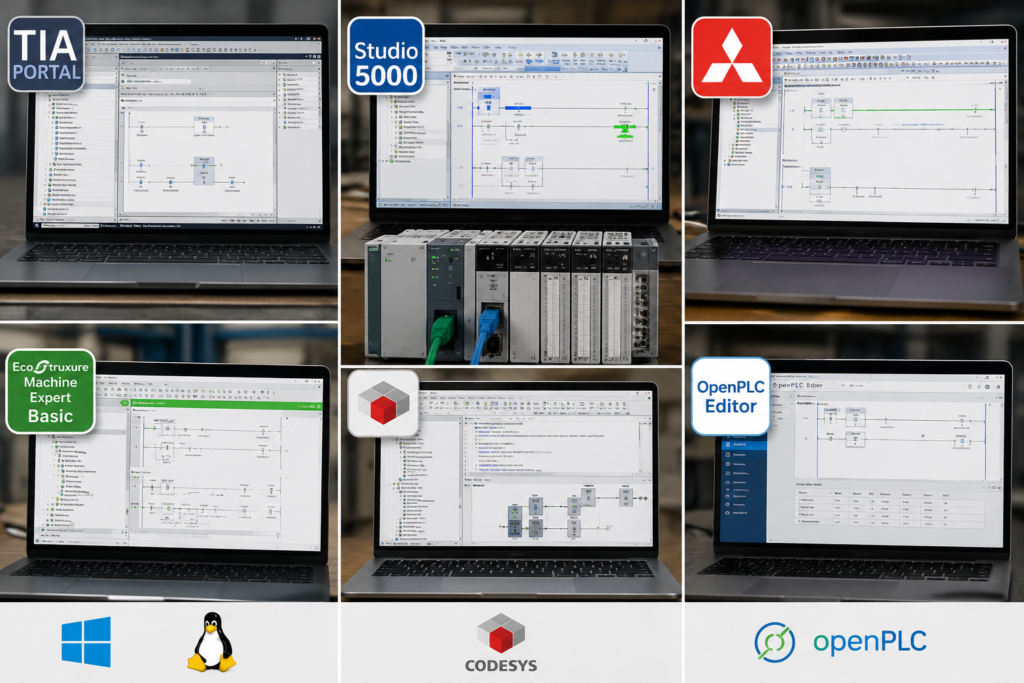
Free PLC software is easy to find.
Useful free PLC software? That takes a little more digging.
Some downloads allow you to draw ladder logic but provide no simulator. Others are technically free, yet become almost useless without physical hardware. Then there are 21-day trials that take several hours to install—just in time for the licence to start ticking down.
Still, several genuinely useful options exist. You can learn PLC logic, timers, counters, sequences, analog scaling and troubleshooting without spending thousands on industrial hardware and licences.
Here are the best choices available in 2026.
Quick Comparison
| Software | Cost | Simulator | Best for |
|---|---|---|---|
| CODESYS Development System | Free IDE | Demo SoftPLC | Best overall PLC learning platform |
| Do-more Designer | Free | Full built-in simulator | Learning ladder logic without hardware |
| OpenPLC Editor | Free and open source | Virtual runtime available | Cross-platform and open-source learning |
| Connected Components Workbench | Free Standard Edition | Limited simulator in Standard | Micro800 and Rockwell beginners |
| TIA Portal Trial | Free for 21 days | S7-PLCSIM included | Learning Siemens software |
| EcoStruxure Machine Expert Basic | Free | Mainly hardware-oriented | Schneider Modicon M221 users |
My honest recommendation is simple:
- Start with CODESYS for general PLC knowledge.
- Try Do-more Designer when you mainly want ladder logic and an easy simulator.
- Use CCW when targeting Allen-Bradley jobs.
- Save the TIA Portal trial until you already know the basics and can use those 21 days properly.
1. CODESYS Development System: Best Overall Choice
For most beginners, CODESYS is the strongest free starting point.
The development environment can be downloaded free of charge, and it supports the main IEC 61131-3 programming languages, including:
- Ladder Diagram
- Function Block Diagram
- Structured Text
- Sequential Function Chart
The installation also includes a demonstration version of CODESYS Control Win SL, which turns your Windows computer into a software PLC. This lets you download a project, run it and monitor the program online without buying a controller.
What you can learn with CODESYS
CODESYS is suitable for practising:
- PLC hardware-style project organisation
- Variables and data types
- Ladder logic
- Structured Text
- Timers and counters
- Functions and function blocks
- Program organisation units
- State-machine sequences
- Basic visualisation
- Online monitoring and debugging
- Analog scaling
- Reusable code
It feels much closer to genuine industrial engineering software than many simplified browser simulators.
You create an application, configure a controller target, compile the program, download it to the SoftPLC and go online. That workflow is valuable because it resembles what you will later do with real PLC hardware.
The limitation
The development environment itself is free, but the unlicensed SoftPLC operates in demonstration mode. Current CODESYS documentation says it stops after two hours of runtime. You can restart the SoftPLC and continue testing, so this is more of an inconvenience than a serious limitation for learning sessions.
You do not need a PLC program running continuously for a week while learning how a timer works.
Who should choose CODESYS?
Choose it when you:
- Have no idea which PLC brand you will eventually use
- Want to learn both ladder and Structured Text
- Want a realistic programming environment
- Plan to build larger simulated projects
- Want skills that transfer to several controller manufacturers
CODESYS will not teach you the exact menus used in Studio 5000 or TIA Portal. It will teach you the programming principles beneath them, which is arguably more important at the beginning.
2. Do-more Designer: Best Free Ladder Simulator
Do-more Designer is provided free by AutomationDirect for its Do-more PLC family.
Unlike many free packages, it includes a proper built-in simulator. You can create a project, connect to the virtual PLC, change simulated inputs and monitor the ladder program as if you were online with real hardware.
That makes it one of the easiest ways to begin practising without wrestling with licences or separate runtime installations.
What you can learn
Do-more Designer is particularly good for:
- Start-stop circuits
- Seal-in logic
- Timers
- Counters
- Comparisons
- Mathematical instructions
- Subroutines
- Alarm logic
- Conveyor sequences
- State or stage programming
- Online monitoring
- Basic PLC troubleshooting
The simulator behaves like a separate PLC. You connect to it, transfer the project, switch operating modes and manipulate its simulated inputs. That small detail makes the experience much more realistic than simply watching coloured ladder contacts change on a webpage.
AutomationDirect describes the software as a free download and confirms that the simulator can run programs without physical PLC hardware.
The limitation
Do-more Designer is built around AutomationDirect’s Do-more platform. Its instructions, memory system and programming workflow are not the same as Siemens or Allen-Bradley.
The underlying skills still transfer:
- Boolean logic remains Boolean logic.
- A timer is still a timer.
- A badly designed sequence remains irritating on every PLC brand.
However, experience in Do-more Designer will not allow you to claim that you know Studio 5000 or TIA Portal.
Who should choose it?
Use Do-more Designer when you want:
- A quick installation
- A genuinely usable simulator
- A ladder-focused learning environment
- No short trial period
- An uncomplicated way to practise machine sequences
It is probably the least frustrating option for someone who wants to write their first ladder program tonight.
3. OpenPLC Editor: Best Open-Source Option
OpenPLC is a free, open-source PLC project with an IEC 61131-3 programming environment and runtime.
The OpenPLC Editor is available for Windows, macOS and Linux. The project also provides a runtime for executing PLC applications, including virtual-controller options.
That cross-platform support is unusual. Most industrial PLC packages behave as if no operating system other than Windows has ever existed.
What OpenPLC is good for
You can use it to learn:
- IEC 61131-3 programming concepts
- Ladder logic
- PLC variables
- Timers and counters
- Basic program organisation
- Modbus communication
- Software PLC operation
- Connections between PLC code and external applications
OpenPLC is also interesting for learners who want to experiment with Raspberry Pi, Arduino-compatible boards or software-based automation systems later.
The limitation
OpenPLC is not as polished as the major commercial packages.
Documentation, hardware configuration and debugging may feel less straightforward than they do in CODESYS or Do-more Designer. You may occasionally spend time solving a software problem rather than learning PLC programming.
That can be educational. It can also be a pain in the backside when all you wanted was to test a motor rung.
Who should choose it?
OpenPLC makes sense when you:
- Use Linux or macOS
- Prefer open-source software
- Want to inspect how the platform works
- Are interested in software PLCs or DIY hardware
- Want to combine PLC programming with Modbus or computer programming
For a complete beginner seeking the smoothest start, I would choose CODESYS or Do-more Designer first. For an experimenter, OpenPLC is well worth exploring.
4. Connected Components Workbench: Best Free Rockwell Starting Point
Connected Components Workbench, usually shortened to CCW, is Rockwell Automation’s engineering software for Micro800 controllers.
The Standard Edition is available as a free download and supports Micro800 programming, device configuration and visualisation. It includes Ladder Diagram, Function Block Diagram and Structured Text editors.
This is the most obvious free starting point for someone interested in Allen-Bradley equipment.
What you can learn in CCW
CCW lets you practise:
- Micro800 hardware configuration
- Ladder logic
- Function Block Diagram
- Structured Text
- Variables and data types
- User-defined functions and function blocks
- Basic HMI development
- Controller communication
- Online monitoring
- Micro800 troubleshooting
It also gives you some familiarity with Rockwell terminology and hardware.
Is it the same as Studio 5000?
No.
This is important.
CCW is used with Micro800 controllers such as the Micro820, Micro850 and Micro870. Studio 5000 Logix Designer is used for CompactLogix and ControlLogix controllers.
The software environments differ in areas such as:
- Project organisation
- Tag handling
- Instructions
- Communications
- Online editing
- Add-On Instructions
- Hardware architecture
Learning CCW is still useful, but do not advertise yourself as an experienced Studio 5000 programmer because you completed a Micro850 simulation.
Interviewers tend to notice these things.
Simulator limitation
Rockwell’s current Micro800 selection guide lists the simulator in the free Standard Edition as a demo that permits ten minutes in Run mode. The paid Developer Edition includes the full simulator.
Ten minutes is enough to test a small exercise, although it becomes annoying for larger projects.
Who should choose CCW?
Choose it when you:
- Want to learn Micro800 controllers
- Are targeting Rockwell-based maintenance work
- May buy an affordable Micro800 PLC later
- Want to practise Rockwell-style industrial automation
- Already understand basic ladder logic and want a vendor-specific platform
CCW is a useful stepping stone. It is not a free replacement for Studio 5000.
5. TIA Portal Trial: Best for Learning Siemens
Siemens offers trial versions of TIA Portal packages.
The current TIA Portal V21 trial includes STEP 7, S7-PLCSIM, WinCC and safety-related engineering components, and the trial can be used for 21 days. Siemens also offers a 21-day cloud trial that does not require a full local installation.
Unlike a simplified educational simulator, this is the real Siemens engineering environment.
What you can learn
With TIA Portal and S7-PLCSIM, you can practise:
- S7-1200 and S7-1500 hardware configuration
- Ladder Diagram
- Function Block Diagram
- Structured Control Language
- Organisation blocks
- Functions and function blocks
- Data blocks
- Symbolic tags
- Watch tables
- Online monitoring
- PLC diagnostics
- Basic WinCC HMI development
- Simulated PLC operation
This is directly relevant to Siemens automation jobs.
Do not waste the trial
Installing TIA Portal without knowing basic PLC concepts is a poor use of the trial period.
You may spend the first several days learning where the New Project button is. Then Windows asks for a restart, the licence manager needs attention, and suddenly half the trial has disappeared.
Before activating it, learn these topics elsewhere:
- Normally open and normally closed logic
- PLC scan cycle
- Timers and counters
- Comparisons
- Data types
- Basic machine sequences
Then prepare a short project list.
For example:
- Motor start-stop control
- Two-pump alternating system
- Conveyor jam detection
- Tank-filling sequence
- Analog level scaling
- Basic HMI with alarms and manual controls
Use the trial like a training sprint, not like software you will eventually get around to opening.
Siemens learning material
Siemens SCE provides more than 100 training documents, over 40 digital learning modules and more than 160 web-based training items covering TIA Portal and related automation subjects. Many materials are available free after creating the required Siemens account.
Combining those exercises with the trial gives you a much more structured learning path than randomly clicking around TIA Portal.
6. EcoStruxure Machine Expert Basic: Best for Modicon M221
Schneider Electric provides EcoStruxure Machine Expert Basic as free programming software for Modicon M221 controllers.
It handles programming, visualisation and commissioning in one environment. The current V1.4 release supports Windows 10 and Windows 11 and remains available as a free download after signing in.
What you can learn
The software is useful for:
- Small-machine PLC configuration
- Ladder programming
- Grafcet or sequence concepts
- Timers and counters
- Modbus communication
- Basic commissioning
- M221 hardware configuration
- Online diagnostics
It is a proper manufacturer engineering package rather than a toy simulator.
The limitation
Machine Expert Basic is strongly tied to the M221 controller family. It is most useful when you have access to actual hardware or expect to work with Schneider PLCs.
It is not the software used for every Modicon platform. Larger Schneider controllers use other EcoStruxure engineering packages.
Who should choose it?
Use it when:
- Schneider PLCs are common in your area
- You can obtain an M221 controller
- You work on small machines
- You want free manufacturer-supported software
- Modbus is particularly relevant to your work
For general learning without hardware, CODESYS and Do-more remain stronger choices.
What About Studio 5000?
Studio 5000 Logix Designer is the software most learners want when targeting CompactLogix and ControlLogix jobs.
Unfortunately, it is not a permanently free learning package.
Rockwell’s support documentation states that there is no ordinary Studio 5000 demo version. Temporary activation may sometimes be arranged through a local Rockwell sales office, but that is different from a freely downloadable, unlimited learner edition.
FactoryTalk Logix Echo also offers trial opportunities for emulation, but it requires a compatible Studio 5000 Logix Designer installation. It therefore does not solve the original licence problem for most beginners.
Realistic ways to access Studio 5000 include:
- Your employer
- A technical college
- A university
- An authorised training centre
- A temporary vendor licence
- A company laptop used under proper permission
Do not download cracked industrial software. Apart from the obvious legal problem, unknown installers and licence bypass tools are a remarkably poor thing to place on a computer that may later connect to production equipment.
Which One Should You Start With?
Complete beginner
Start with Do-more Designer or CODESYS.
Do-more is easier for pure ladder practice. CODESYS provides a broader and more transferable automation environment.
Future Siemens programmer
Learn basic logic in CODESYS first. Then use the TIA Portal trial intensively with S7-PLCSIM and Siemens SCE exercises.
Future Allen-Bradley programmer
Begin with CCW, particularly if you can obtain a Micro800 controller. Also practise general ladder logic in Do-more or CODESYS.
Eventually, you will need genuine Studio 5000 experience for CompactLogix and ControlLogix jobs.
Linux or macOS user
Try OpenPLC.
CODESYS engineering is mainly Windows-focused, while OpenPLC provides versions for Windows, macOS and Linux.
Someone planning to buy cheap hardware
Look at:
- Micro800 with CCW
- Modicon M221 with Machine Expert Basic
- AutomationDirect Do-more hardware
- A CODESYS-compatible controller
Check local availability before choosing. Cheap hardware becomes slightly less cheap after international shipping, taxes and a three-week wait for a programming cable.
Five Projects to Build
Downloading software is not learning.
Build these projects in order.
1. Motor start-stop control
Include:
- Start and Stop buttons
- Seal-in logic
- Overload input
- Running feedback
- Fault reset
- Manual and automatic modes
2. Alternating two-pump controller
Add:
- Lead and standby pumps
- Runtime balancing
- Failed-pump detection
- Automatic changeover
- High-level alarm
3. Conveyor with jam detection
Use:
- Entry and exit sensors
- Product-travel timer
- Motor feedback
- Downstream permissive
- Jam alarm
- Reset sequence
4. Tank-filling sequence
Include:
- Low and high level sensors
- Fill and drain valves
- Mixer motor
- Sequence states
- Timeout alarms
- Manual controls
5. Analog level control
Simulate:
- A 4–20 mA raw input
- Engineering-unit scaling
- High and low alarms
- Pump control
- Hysteresis
- Trend or visualisation
Do not only demonstrate normal operation.
Simulate broken sensors, missing feedback, impossible input combinations and timeouts. A project becomes useful when it knows what to do after something goes wrong.
Final Recommendation
There is no need to spend thousands to begin learning PLC programming.
For the strongest all-round experience, install CODESYS.
For the easiest free ladder simulator, use Do-more Designer.
For open-source experimentation, try OpenPLC.
For Rockwell equipment, learn CCW, while remembering that Micro800 and Studio 5000 are different environments.
For Siemens, prepare first and then make full use of the 21-day TIA Portal trial.
The software matters, but the projects matter more.
A person who builds and thoroughly tests five complete simulated machines will usually understand more than someone who has installed twelve PLC packages and completed nothing in any of them.