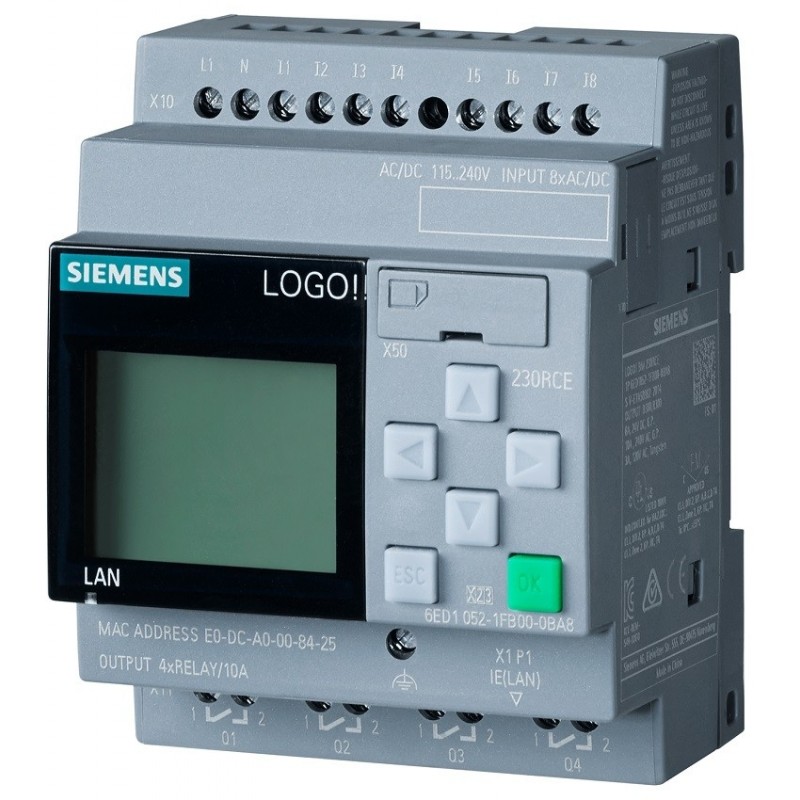
A customer wants digital output Q1 to switch on only during public holidays. At first, the solution seems obvious: add a Weekly Timer or Yearly Timer in LOGO! Soft Comfort.
Then Easter arrives and ruins the neat little plan.
Some holidays occur on the same calendar date every year. Others move according to Easter, a particular weekday or national rules. A standard calendar timer handles the first group easily. The second group needs extra logic, annual maintenance or information from an external system.
Fixed and Movable Holidays Are Different
A fixed-date holiday does not actually move forward by one day each year. Its weekday changes, but its calendar date remains the same.
Examples include:
- New Year’s Day — January 1
- Christmas Day — December 25
- Boxing Day — December 26
These dates are suitable for the LOGO! Yearly Timer.
Movable holidays are different. Easter Monday, for example, can occur on different dates each year. Other holidays may be defined as the first Monday of a month or another weekday-based rule.
The Yearly Timer controls its output using configured on and off dates. Siemens documentation describes yearly, monthly and user-defined operating modes, but the block remains date-based—it does not independently calculate a country’s changing public-holiday calendar.
Using the Yearly Timer for Fixed Holidays
For holidays that always occur on the same date, place a Yearly Timer block in LOGO! Soft Comfort.
Configure:
- Yearly repetition
- Holiday start date
- Holiday end date
- Pulse operation, where only a brief output is required
For example, a timer can activate every year on December 25. Siemens’ examples show the Yearly Timer repeating configured month-and-day values across a selected range of years.
Several Yearly Timer outputs can be connected to an OR block:
New Year Timer OR Christmas Timer OR National Holiday Timer → Q1
That works well and requires little maintenance.
A Weekly Timer is generally not suitable for public holidays. It is designed around repeating weekdays and times, such as every Monday from 08:00 to 17:00. It cannot distinguish an ordinary Monday from Easter Monday without another signal. Siemens describes its cams as weekday-and-time triggers.
The Simplest Solution for Movable Holidays
For a small installation, the most practical answer may be less exciting than expected:
Update the movable holiday dates once per year.
Fixed holidays remain programmed permanently. At the end of each year, someone enters the dates for Easter Monday and any other movable holidays for the following year.
It is manual, yes, but also understandable and easy to verify. For one controller at one site, spending a few minutes updating the calendar may be more sensible than building a large date-calculation program that becomes difficult to maintain.
The program should include a clear reminder or HMI message such as:
Holiday calendar must be updated before January 1.
Document which dates must be changed and who is responsible.
Calculating Movable Holidays Inside LOGO!
It is technically possible to build custom logic that determines certain movable holidays from the current year and calendar data.
For Easter-based holidays, the program would need to:
- Read the current year.
- Calculate the date of Easter Sunday.
- Add or subtract days for Good Friday, Easter Monday and related holidays.
- Compare the calculated date with the LOGO! real-time clock.
- Activate the holiday output when the dates match.
This quickly becomes a surprisingly large project for a simple logic module. Testing is also important because calendar calculations involve leap years, month boundaries and different national rules.
The German Siemens forum discussion referenced in the original question reportedly contains examples tailored to German holidays. Those examples may be adaptable, but the comments, date rules and output logic should be understood fully before being placed into a customer installation.
Copying a holiday-calculation network without understanding it is asking for a mysterious day off several years later.
Would NTP Solve the Problem?
NTP can keep the LOGO! clock synchronized with a time server on compatible hardware. Siemens documents NTP client configuration for supported LOGO! versions, including synchronization from a configured server.
However, NTP supplies accurate time and date information. It does not provide a public-holiday calendar.
The LOGO! may know that today is April 6, but NTP does not tell it whether April 6 is Easter Monday in the selected country.
Correct time synchronization is still useful. Without it, even a perfectly programmed holiday calendar can activate on the wrong day after clock drift or an incorrect manual clock setting.
Using an External Holiday Calendar
When the system must update itself automatically, a networked external source is usually cleaner.
Possible solutions include:
- A building-management controller
- An S7-1200 or another PLC with more flexible date handling
- An industrial IoT gateway
- A local server
- A small computer retrieving a maintained calendar
- A supervisory system or HMI
The external system determines whether the current date is a holiday and sends one Boolean signal to LOGO!:
Holiday_Active = TRUE
The LOGO! program then uses that signal to control Q1.
This approach is particularly useful when:
- Several LOGO! controllers use the same calendar
- Holiday rules differ between regions
- Customers require automatic annual updates
- Company shutdown days must be included
- Dates need to be changed remotely
LOGO! Soft Comfort V9 is Siemens’ current engineering environment for LOGO! 9 and includes logic programming, simulation and web visualization. LOGO! remains well suited to compact automation tasks, but a continuously maintained national holiday service is a broader calendar-management requirement.
Plan for Communication Failure
An internet-based holiday signal introduces another question:
What should happen if the connection fails?
Possible strategies include:
- Use the last successfully downloaded calendar.
- Default to normal working-day operation.
- Default to holiday operation.
- Generate an alarm and require manual selection.
- Keep fixed holidays locally and receive only movable dates externally.
The correct response depends on what Q1 controls. A decorative lighting output has very different consequences from heating, access control or production equipment.
A local manual override is worth including, but its state should be visible and clearly labelled.
Recommended Approach
For one LOGO! installation with a modest number of holidays:
- Use Yearly Timers for fixed-date holidays.
- Enter movable holidays manually once each year.
- Combine all holiday conditions with an OR block.
- Add a manual override.
- Add an annual calendar-update reminder.
- Synchronize the clock through NTP where supported.
For multiple sites or a customer demanding fully automatic updates, use an external calendar system and send a holiday bit to LOGO!.
LOGO! can calculate complex calendar rules when enough effort is thrown at the problem. The better question is whether it should.
Sometimes five minutes of annual maintenance is the more reliable engineering solution.