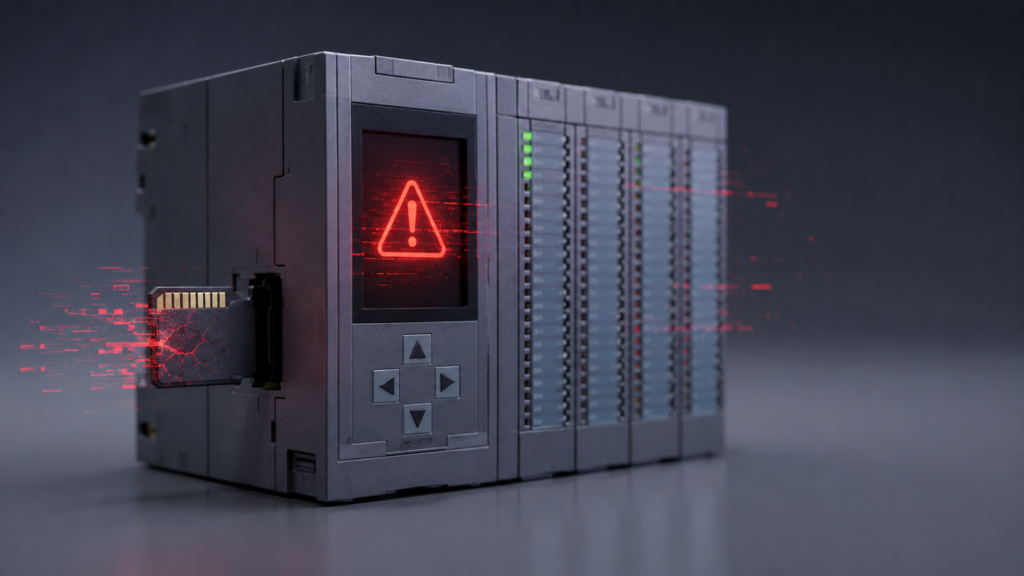
A Siemens S7-1500 CPU that refuses to start after a power interruption can create an unpleasant situation. The display may report an inconsistent or corrupted SIMATIC Memory Card, the CPU may remain in STOP, and the machine program suddenly becomes unavailable.
The power failure may appear to be the obvious cause, but the real question is what the controller was doing when power disappeared.
A clean loss of power should not automatically destroy a healthy memory card. A more likely explanation is an interrupted write operation, unstable control voltage, a failing card or an incomplete project download. Siemens warns that interrupting access to a SIMATIC Memory Card can leave files incomplete, unreadable or, in the worst case, corrupt the card’s entire contents.
Why the Memory Card Matters
In an S7-1500, the SIMATIC Memory Card acts as the CPU’s external load memory. It contains the project required by the controller and must normally remain installed while the CPU operates.
This is not an ordinary consumer SD card. The CPU expects a properly prepared SIMATIC Memory Card with the required Siemens file structure.
Using an incorrectly formatted, damaged or incompatible card can prevent normal startup.
Possible Causes
A corrupted-card message after a power failure may be caused by:
- Power disappearing during a program download or other write operation
- Rapid or repeated power cycling
- An unstable 24 V DC control supply
- A damaged or ageing SIMATIC Memory Card
- Removing the card while the CPU or programming device was writing to it
- Accidental modification or deletion of card files on a computer
- An interrupted firmware update
- Incompatible project, CPU firmware or safety configuration
Siemens specifically instructs users to remove the card only when the CPU is powered off or in STOP, with no loading, deleting or test functions active.
Start With the Diagnostic Buffer
Do not format the card immediately.
First, record:
- CPU display message
- ERROR and RUN/STOP LED states
- Diagnostic-buffer entries
- Time of the power failure
- Whether anyone was downloading or modifying the PLC
- Card part number and capacity
- CPU firmware version
TIA Portal’s online diagnostics can show the affected device, fault description and possible remedies. Siemens’ diagnostic tools are designed to help trace a general CPU fault down to the responsible module or component.
Check the PLC Power Supply
Measure the 24 V DC supply directly at the CPU terminals.
Look for:
- Loose power terminals
- Overloaded power supply
- Excessive ripple
- Voltage dips when contactors energize
- Repeated on-off cycling
- A failing UPS or control transformer
An ordinary multimeter may miss a brief voltage drop. For faults that occur randomly, use a meter with minimum-voltage recording or a power-quality logger.
Replacing the memory card without correcting unstable power may only postpone the next failure.
Recovering the Controller
Before doing anything destructive, confirm that a current TIA Portal backup exists.
A typical recovery process is:
- Put the machine in a safe condition.
- Switch the CPU to STOP and remove power.
- Remove the card only after confirming that no write process is active.
- Inspect the card for physical damage or poor contact.
- Use the approved Siemens procedure to check, repair or format the SIMATIC Memory Card.
- Reload the correct compiled hardware and software project.
- Reinsert the card with the CPU powered off or in STOP.
- Verify the safety program, hardware configuration and CPU diagnostics before returning to RUN.
Formatting deletes the program stored on the card, so it should never be attempted without a verified backup.
Inserting or removing a card can also cause the CPU to compare its contents with retained data. If they do not match, the CPU may perform a memory reset, delete retained values and remain in STOP.
When to Replace the Card
Replace the SIMATIC Memory Card if:
- Repair or formatting repeatedly fails
- The card is intermittently detected
- Corruption returns with a verified stable supply
- The CPU reports a defective card
- Physical damage is visible
Use a genuine, compatible SIMATIC Memory Card rather than a standard commercial SD card.
Final Thoughts
A corrupted S7-1500 memory card after a power failure is not always proof that the card itself caused the problem.
Investigate the event properly. Read the diagnostics, verify the 24 V supply and determine whether a write operation was interrupted. Only then should the card be repaired, reformatted or replaced.
Most importantly, keep an updated TIA Portal backup. A memory-card fault is inconvenient. A memory-card fault with no trustworthy project backup is considerably worse.