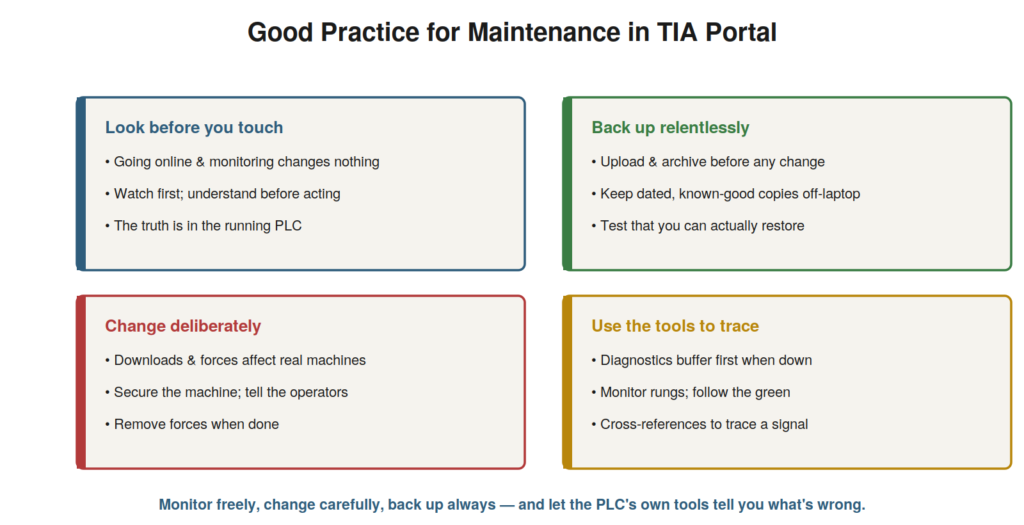
This closing chapter draws together the good practices that make
maintenance work in TIA Portal safe and effective, and shows how the
skills combine in real work. The specific skills — going online,
monitoring, reading, diagnosing, backing up, downloading — are held
together by a set of good practices and a way of working that this
chapter consolidates, so that you approach any machine with a sound
method and safe habits.
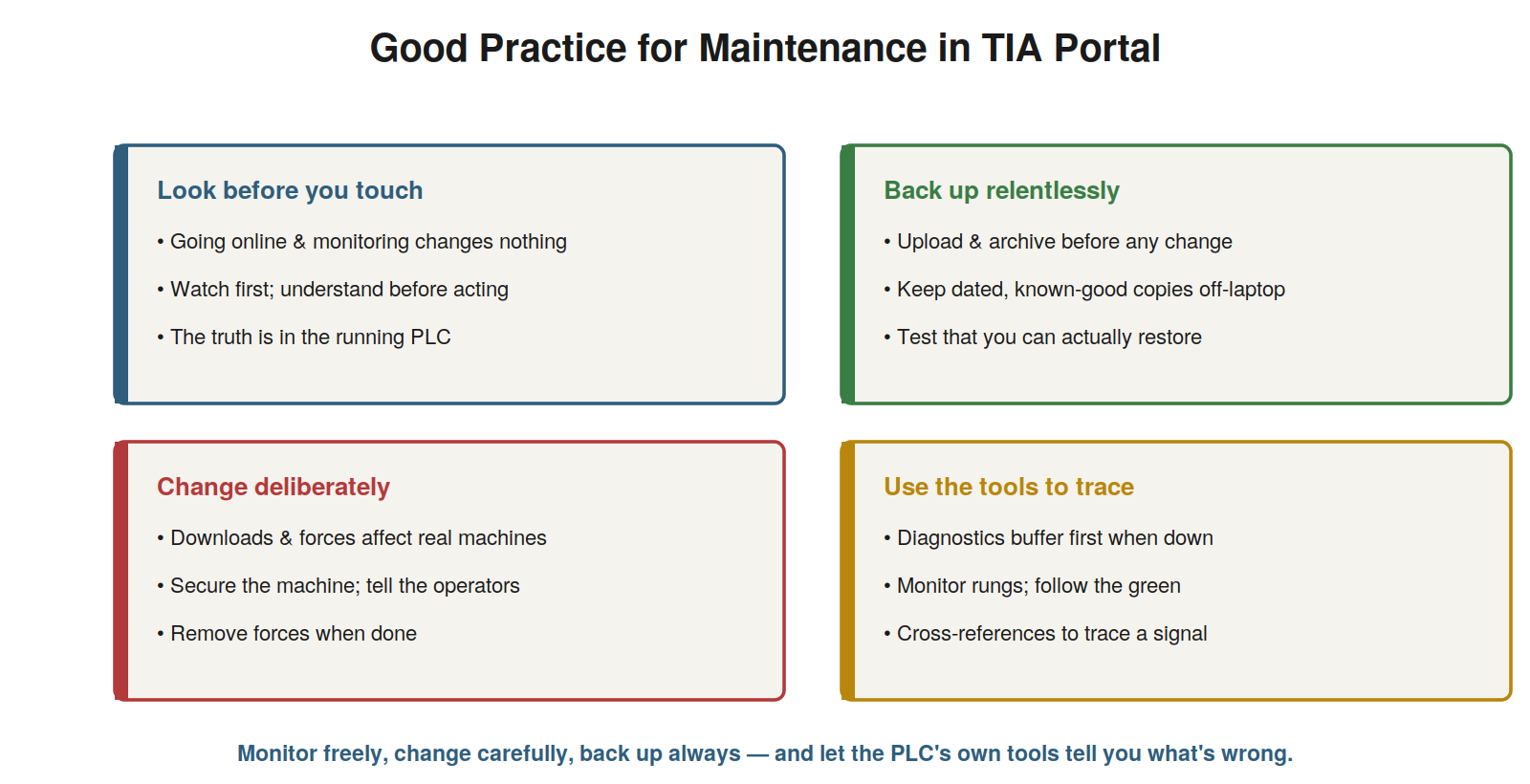
before you touch (monitoring changes nothing), back up relentlessly
(before any change, tested restores), change deliberately (downloads and
forces affect real machines), and use the tools to trace (buffer,
monitoring, cross-references).
The good practices, together
The good practices for maintenance in TIA Portal, drawn together,
form a coherent approach. Look before you touch: going online and
monitoring changes nothing, so observe and understand fully before any
change — the truth is in the running PLC, and you can safely watch it.
Back up relentlessly: upload and archive before any change (to roll
back) and keep dated, known-good copies off the laptop, with a tested
restore process — your safety net. Change deliberately: downloads and
forces affect real machines, so secure the machine, warn the operators,
and remove forces when done — respecting the physical consequences. Use
the tools to trace: the diagnostics buffer first when down, live
monitoring to follow the logic, cross-references to trace a signal —
letting the PLC’s own tools reveal the problem. These practices — look
before touching, back up relentlessly, change deliberately, use the
tools — together make maintenance work safe and effective. Understanding
them as a coherent set consolidates the approach. It reinforces the four
good practices as a unified way of working: observe safely first, back
up always, change carefully, and use the diagnostic tools. Understanding
the good practices together — look before you touch, back up
relentlessly, change deliberately, use the tools to trace — consolidates
a safe, effective approach to maintenance in TIA Portal, so that these
habits govern all your work, combining safe observation, reliable
backups, careful changes, and effective tool use into a coherent method
that keeps your work both safe for the machine and effective at
resolving problems, which is the practical wisdom this book has aimed to
instill alongside the specific skills.
Putting the skills together: a typical fault
It helps to see how the skills combine in a typical fault, showing
the workflow from symptom to resolution. Suppose a machine has stopped.
You go online safely (having the right project, or uploading it) — a
safe, changing-nothing action. You read the diagnostics buffer, which
reports the CPU stopped due to a module fault. You go to the device view
and find a red icon on an output module; its detailed diagnostics show a
short circuit on a channel. This points to the field wiring or device on
that output. You investigate the wiring (safely, in the field), find and
fix the short, then clear the fault. You verify the machine runs
correctly, monitoring the relevant logic. Finally, you archive the
current state as a backup. This workflow — online, buffer, device view,
localize, fix, verify, back up — combines the skills into a resolution.
Understanding how the skills combine in a typical fault shows the
practical workflow. It reinforces that the skills work together: going
online, reading the buffer, using device diagnostics, localizing,
fixing, verifying, and backing up combine to resolve a fault.
Understanding how the skills combine in a typical fault — from going
online through the diagnostics to the fix and backup — shows the
practical workflow of maintenance in TIA Portal, where the individual
skills this book has taught come together into a coherent resolution:
safe observation, the diagnostic tools, localization, repair,
verification, and backup, which is how a real fault is resolved and how
the book’s skills serve the maintenance technician’s actual work.
The confident maintenance technician
The confident maintenance technician in TIA Portal — whom this book
has aimed to develop — combines the skills and the good practices into
effective, safe work. Such a technician can navigate TIA Portal and go
online with any machine; can monitor the running program to see what it
is doing; can read the logic, tags, and blocks to understand it; can use
the diagnostics buffer, device view, monitoring, and cross-references to
find faults; can read and troubleshoot the HMI; and can back up and
download safely. Held together by the good practices — look before you
touch, back up relentlessly, change deliberately, use the tools to trace
— these skills make the technician effective at keeping machines running
and safe in doing so. TIA Portal, which can seem a vast and intimidating
software, becomes, with these focused skills, a powerful ally: the
window into the machine that lets you see, understand, and fix what is
wrong. The maintenance technician who has developed this confidence —
able to go online without hesitation, read a running program, follow a
fault to its cause, and handle backups and changes safely — holds a
genuinely valuable skill, because so much modern machinery is
Siemens-controlled, and the ability to work in TIA Portal turns a
machine’s control system from a mysterious black box into an open,
understandable, diagnosable system. That transformation — from
intimidated by the software to confident with it, using it to keep
machines running — is what this book has worked to achieve, equipping
you to use TIA Portal as the powerful maintenance tool it is.
Keeping records and documentation
An element of good practice that supports all the rest is keeping
records and documentation, and understanding its value reinforces the
habit. Good maintenance work generates and uses records: notes of what
faults occurred and how they were resolved (building a history that
speeds future diagnosis of recurring problems), documentation of changes
made (what was changed, when, and why — so the history of a machine’s
program is known), and dated backups (the record of the program’s states
over time). These records make future work easier: a recurring fault is
quickly recognized from past notes, a change’s history explains why the
program is as it is, and dated backups let you see and recover past
states. So keeping records — of faults, changes, and backups — supports
effective ongoing maintenance. Understanding the value of records and
documentation — building a history that aids future work — reinforces
keeping them. It reinforces that good practice includes keeping records
of faults, changes, and backups, because this history makes future
maintenance easier and more informed. Understanding the value of records
and documentation — the history of faults, changes, and backups that
aids future work — reinforces this supporting good practice, because
well-kept records turn each maintenance episode into knowledge that
speeds future work, making the recurring faults quicker to diagnose, the
program’s history clear, and past states recoverable, which is why
keeping good records and documentation underpins effective ongoing
maintenance and complements the other good practices this book has
emphasized.
Scenario: good practice through a full job
A scenario shows the good practices working together through a
complete job. A machine went down, and the technician worked through it
with good practice throughout. They went online and monitored first
(look before you touch), reading the diagnostics buffer and finding a
module fault. They used the device view to pinpoint the failed channel
(using the tools to trace). They fixed the field wiring fault they
found. The fix required no program change, but had it, they would have
backed up first (back up relentlessly) and downloaded carefully (change
deliberately). After fixing, they verified the machine ran correctly by
monitoring, and archived the current state as a fresh backup. The whole
job — observe, diagnose with the tools, fix, verify, back up — embodied
the good practices, and went smoothly and safely as a result. This
scenario shows the good practices working together through a full job,
from safe observation to backup. Understanding the good practices as a
coherent approach let the technician handle the whole job well —
observing first, using the tools, changing carefully (if needed),
verifying, and backing up. It reinforces that the good practices work
together through a complete job, making the work safe and effective from
start to finish. The scenario reinforces the good practices as a unified
approach: the technician handled a full job well by observing first,
tracing with the tools, fixing, verifying, and backing up, illustrating
how the good practices — look before you touch, back up relentlessly,
change deliberately, use the tools to trace — come together in real work
to make a maintenance job safe, effective, and complete from the first
safe observation to the final backup.
Working within your competence and authorization
A good practice that underlies safe work is staying within your
competence and authorization, and understanding its importance keeps you
and the machines safe. TIA Portal gives access to powerful capabilities,
but not everything you can technically do is something you should do
given your training and authority. Working within your competence means
undertaking the tasks you are trained and qualified for, and recognizing
when a task exceeds your knowledge (complex programming, safety systems,
unfamiliar equipment) — escalating rather than attempting it. Working
within your authorization means respecting your site’s rules about who
may make changes, work on safety systems, or perform certain operations
— not exceeding your permitted role. This discipline keeps work safe:
you do what you are competent and authorized to do, and defer what you
are not. It protects the machines (from unqualified changes) and you
(from responsibility beyond your role). Understanding working within
your competence and authorization — doing what you are trained and
permitted to do, escalating the rest — underlies safe, responsible work.
Understanding the importance of working within your competence and
authorization — undertaking what you are trained and permitted for, and
escalating what exceeds either — underlies safe, responsible
maintenance, so that you use TIA Portal’s powerful capabilities
appropriately, doing the tasks you are competent and authorized to
perform while recognizing and deferring those that exceed your training
or permitted role, which protects both the machines from unqualified
intervention and you from responsibility beyond your competence, and is
a foundational good practice for safe work with a tool as capable as TIA
Portal.
The journey from intimidation to mastery
To close, it is worth reflecting on the journey this book has aimed
to support — from being intimidated by TIA Portal to using it with
confidence — because seeing the journey whole encourages continuing it.
Many maintenance technicians begin intimidated by TIA Portal, seeing a
vast, complex programming environment and doubting they can use it. This
book has aimed to guide the journey from there to confident competence:
understanding that you need only a focused, learnable subset; developing
the navigation, monitoring, reading, and diagnostic skills; adopting the
good practices; and building the instinct that makes it all natural. The
destination is a technician who opens TIA Portal without hesitation,
goes online to see what a machine is doing, reads its logic, diagnoses
its faults, and handles backups and changes safely — using the tool as
the powerful ally it is. That journey is entirely achievable, and each
machine you work on advances it. The intimidation gives way to
familiarity, familiarity to competence, competence to confidence. This
book has provided the map; the journey is completed through practice,
working on real machines until the skills become second nature. The
maintenance technician who completes this journey holds a genuinely
valuable competence — able to maintain the vast amount of
Siemens-controlled machinery that runs modern industry — and turns TIA
Portal from an intimidating black box into an open, understandable
window onto the machines they keep running. That transformation is the
goal, and it is within reach of any technician willing to learn and
practice the focused set of skills this book has laid out.